
Top 7 n8n Templates for Marketing Agencies
Marketing agencies run on repetition — the same reports, the same lead handoffs, the same content pipelines, week after week. n8n is built for exactly this kind of work: it connects your tools, automa
Marketing agencies run on repetition — the same reports, the same lead handoffs, the same content pipelines, week after week. n8n is built for exactly this kind of work: it connects your tools, automates the handoffs, and keeps everything moving without someone babysitting a spreadsheet. The problem is that building workflows from scratch takes time you don't have. These seven templates cover the highest-leverage automation points for any agency, whether you're running paid ads, content, or client reporting.
1. Client Reporting Automation
Pulling data from Google Analytics, Meta Ads, and Google Ads into a PDF or Google Slide deck every Monday is tedious and error-prone. A reporting template connects all three sources, formats the numbers, and delivers the deck directly to the client's inbox — no human in the loop. Look for templates that support dynamic date ranges so you're not editing the workflow every week.
- Pulls from GA4, Meta Ads API, and Google Ads API
- Formats into a branded Google Slides or PDF report
- Triggers every Monday at a set time via cron node
- Sends via Gmail or any SMTP provider
2. Lead Qualification and CRM Sync
When a form submission comes in, most agencies still have someone manually copying the lead into their CRM, assigning it to a rep, and sending a confirmation email. A lead qualification template handles all of that in under two seconds. The workflow evaluates the lead against your criteria — budget, industry, company size — routes it to the right pipeline stage, and triggers a personalized first-touch email.
- Integrates with Typeform, Tally, or native form tools
- Syncs to Pipedrive, HubSpot, or Go High Level
- Conditional logic routes leads by score or segment
- Triggers Slack notification to the assigned rep
3. Social Media Content Scheduler
Content teams waste hours queuing posts manually across platforms. A scheduling template reads from a Google Sheet or Notion database where your content calendar lives, pulls the post text and image URL, and publishes to Instagram, LinkedIn, and Twitter/X at the scheduled time. The sheet becomes the single source of truth — no need to log into each platform separately.
- Reads content calendar from Google Sheets or Notion
- Publishes to Instagram (via Meta Graph API), LinkedIn, and X
- Handles image uploads and caption formatting
- Marks posts as published in the source sheet after execution
4. WhatsApp Lead Follow-Up Sequence
For agencies working with local businesses or high-touch B2C clients, WhatsApp follow-up outperforms email by a wide margin. A WhatsApp sequence template triggers after a lead fills out a form, waits a defined interval, and sends a personalized message via the WhatsApp Business API or Z-API. If the lead replies, a second branch captures the response and updates the CRM. This is the highest ROI automation for most agencies that haven't built it yet.
- Triggers from form submission or CRM stage change
- Sends messages via WhatsApp Business API or Z-API
- Supports multi-step sequences with delays
- Captures replies and pushes them back to the CRM
5. AI-Powered Content Brief Generator
Briefing content writers is one of those tasks that looks simple but eats 30–45 minutes per article when done properly. An AI brief generator takes a target keyword, pulls SERP data, and produces a structured brief — including recommended headings, word count, and competitor insights — using Claude or GPT-4. The output goes directly into Notion or a Google Doc, ready for the writer. Agencies running content at scale cut brief production time by around 80% with this one.
- Accepts keyword input via form or Slack command
- Pulls SERP data via SerpAPI or similar
- Generates structured brief using Claude or GPT-4
- Outputs to Notion, Google Docs, or email
6. Ad Performance Alert System
Catching a broken ad or a budget spike on Friday afternoon before it burns through the weekend spend is the difference between a good month and an angry client call. A performance alert template polls Meta Ads and Google Ads every few hours, checks CPL and ROAS against your defined thresholds, and fires a Slack or WhatsApp alert when something is off. This is not a reporting tool — it's an early warning system.
- Polls Meta Ads and Google Ads APIs on a schedule
- Compares live metrics against configurable thresholds
- Sends alert via Slack, WhatsApp, or email
- Includes campaign name, current metric, and threshold in the message
7. Onboarding Automation for New Clients
Every new client triggers the same checklist: create the project in ClickUp, set up the shared Google Drive folder, send the onboarding questionnaire, schedule the kickoff call. A client onboarding template runs all of this from a single trigger — a form submission or a deal stage change in the CRM. What used to take 45 minutes of manual work runs in under a minute with zero errors.
- Triggered by CRM deal stage change or form submission
- Creates project in ClickUp or Asana with predefined task structure
- Sets up Google Drive folder with template files shared to client
- Sends onboarding questionnaire and kickoff scheduling link
These seven automations cover the core operational bottlenecks that slow down every agency: reporting, lead handling, content, client communication, and campaign monitoring. Building each one from scratch takes hours. Using a template cuts that to minutes. If you want to skip the build phase entirely, all of these are available as ready-made n8n templates — download, configure your credentials, and you're running the same day.
Ja construimos isso pra voce
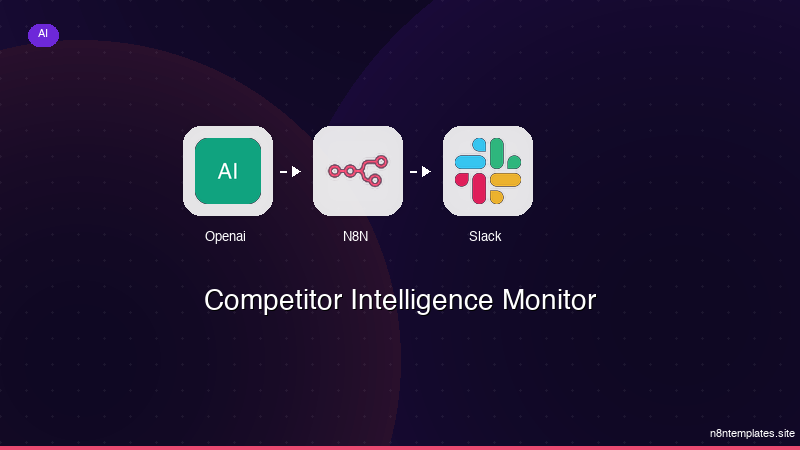
Nao comece do zero. O Competitor Intelligence Monitor e um workflow n8n pronto para instalar que faz exatamente isso — em minutos, nao horas.
Instalar por $59 →

