
n8n Self-Hosting Guide: Deploy on a VPS in 30 Minutes
Self-hosting n8n on a VPS gives you full control over your automation workflows — no usage limits, no vendor lock-in, and your data stays on your infrastructure. If you have a basic Linux VPS (2GB RAM
Self-hosting n8n on a VPS gives you full control over your automation workflows — no usage limits, no vendor lock-in, and your data stays on your infrastructure. If you have a basic Linux VPS (2GB RAM minimum, Ubuntu 22.04 recommended), you can have n8n running in production in under 30 minutes. Here's exactly how to do it.
Prerequisites
Before you start, make sure you have the following in place:
- A VPS with at least 2GB RAM and 20GB disk — DigitalOcean, Hetzner, and Hostinger KVM2 all work well
- Ubuntu 22.04 LTS (or Debian 11+)
- A domain or subdomain pointing to your VPS IP (e.g.,
n8n.yourdomain.com) - SSH access to root or a sudo user
You do not need Docker experience, but this guide uses Docker Compose because it makes updates and restarts trivial. If you prefer a raw Node.js install, the n8n docs cover that too — but Docker is the path with the least operational pain.
Install Docker and Docker Compose
SSH into your VPS and run the following commands to install Docker:
curl -fsSL https://get.docker.com | sh— installs Docker Engineapt install docker-compose-plugin -y— adds the Compose pluginsystemctl enable docker && systemctl start docker— ensures Docker starts on reboot
Verify the install with docker --version and docker compose version. Both should return version strings without errors.
Configure n8n with Docker Compose
Create a working directory and a docker-compose.yml file:
mkdir /opt/n8n && cd /opt/n8n- Create
docker-compose.ymlwith the following content:
version: "3.8"
services:
  n8n:
    image: n8nio/n8n
    restart: always
    ports:
      - "5678:5678"
    environment:
      - N8N_HOST=n8n.yourdomain.com
      - N8N_PORT=5678
      - N8N_PROTOCOL=https
      - WEBHOOK_URL=https://n8n.yourdomain.com/
      - N8N_BASIC_AUTH_ACTIVE=true
      - N8N_BASIC_AUTH_USER=admin
      - N8N_BASIC_AUTH_PASSWORD=changethis
      - GENERIC_TIMEZONE=America/Sao_Paulo
    volumes:
      - n8n_data:/home/node/.n8n

volumes:
  n8n_data:
Replace n8n.yourdomain.com with your actual subdomain and set a strong password. The volume ensures your workflows and credentials persist across container restarts and updates.
Set Up Nginx as a Reverse Proxy with SSL
Running n8n directly on port 5678 is fine for testing, but for production you need HTTPS. Install Nginx and Certbot:
apt install nginx certbot python3-certbot-nginx -y- Create
/etc/nginx/sites-available/n8nwith a server block that proxies tolocalhost:5678 - Run
certbot --nginx -d n8n.yourdomain.comto issue and auto-configure a free Let's Encrypt certificate - Enable the site:
ln -s /etc/nginx/sites-available/n8n /etc/nginx/sites-enabled/ && nginx -t && systemctl reload nginx
Your Nginx config should include proxy_pass http://localhost:5678, proxy_http_version 1.1, and the standard WebSocket upgrade headers — n8n's UI relies on WebSocket connections. Certbot will handle the SSL block automatically.
Start n8n with docker compose up -d from /opt/n8n. Navigate to https://n8n.yourdomain.com in your browser. You should see the login prompt.
Post-Install Checklist
Once n8n is running, a few things will save you headaches later:
- Set up automated backups of the
n8n_dataDocker volume — workflows are stored there, and losing them hurts - Configure UFW to block port 5678 from external access:
ufw deny 5678— traffic should only come through Nginx - Test webhook delivery by creating a simple webhook workflow and triggering it from curl
- Add
N8N_ENCRYPTION_KEYto your environment with a random 32-char string to encrypt stored credentials at rest - Schedule
docker compose pull && docker compose up -das a monthly cron to stay on current n8n releases
With the infrastructure running, the real leverage comes from what you build on top of it. If you want a head start instead of building every workflow from scratch, check out these ready-made n8n templates — production-ready workflows covering CRM integrations, lead routing, AI pipelines, and more, ready to import directly into your self-hosted instance.
Self-hosting n8n is a one-time setup cost that pays back immediately in flexibility. You control the execution environment, the data, the uptime SLA, and the cost curve. Once it's running, maintaining it is mostly docker compose pull once a month and keeping your SSL cert renewal automated — which Certbot handles by default.
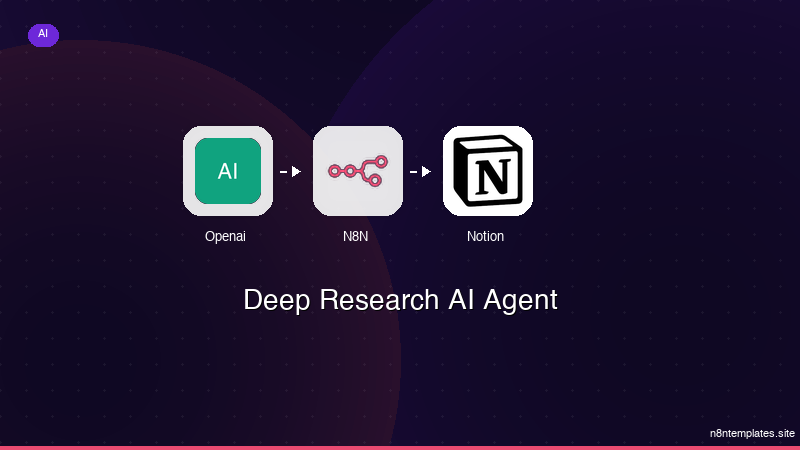
Ja construimos isso pra voce
Nao comece do zero. O Deep Research AI Agent e um workflow n8n pronto para instalar que faz exatamente isso — em minutos, nao horas.
Instalar por $49 →

