
n8n + HubSpot: Auto-Enroll Contacts in Email Sequences
If you're running HubSpot and manually adding contacts to email sequences, you're leaving time and money on the table. n8n can wire your HubSpot workflows directly into your sequence logic — no code,

If you're running HubSpot and manually adding contacts to email sequences, you're leaving time and money on the table. n8n can wire your HubSpot workflows directly into your sequence logic — no code, no manual clicks, just contacts moving through your funnel automatically the moment they qualify.
This guide walks through how to build an n8n workflow that monitors HubSpot for new or updated contacts and auto-enrolls them in the right email sequence based on lifecycle stage, deal stage, or any property you define.
Why Automate HubSpot Sequence Enrollment
HubSpot sequences are powerful, but they have a fundamental flaw: someone has to manually enroll contacts. That creates gaps. A lead fills out a form at 2am, qualifies based on company size and industry, but doesn't get enrolled until a rep checks their inbox Monday morning. That's a 48-hour delay in a window where intent is highest.
n8n solves this by sitting between your trigger events and HubSpot's enrollment API, making decisions instantly and consistently — the same logic, every time, with no human bottleneck.
- Enroll leads the moment they hit a qualification threshold
- Route contacts to different sequences based on properties like industry, deal size, or source
- Prevent duplicate enrollments with conditional logic before the API call
- Log every enrollment action for auditing without building a separate system
How the Workflow Is Structured
The core n8n workflow for this automation has four stages: trigger, filter, enrich, and enroll. Each stage is a separate node, which makes it easy to debug and modify without touching the rest of the flow.
Trigger: You can start with a HubSpot trigger node that fires on contact property changes, or use a scheduled polling node that checks for contacts matching specific criteria every few minutes. For high-volume funnels, the polling approach gives you more control over rate limits.
Filter: A Switch or IF node evaluates the contact's properties. For example: if lifecyclestage equals marketingqualifiedlead and hs_lead_status equals new, proceed. Otherwise, stop or route to a different branch.
Enrich (optional): Before enrolling, you might call Clearbit, Hunter, or another enrichment API to fill in missing fields. This is especially useful if you want to route contacts to different sequences based on company size or industry that wasn't captured in the original form.
Enroll: A HubSpot node calls the Sequences API to enroll the contact. You pass the contact ID and the sequence ID. n8n handles authentication, retry logic, and error handling through its built-in node configuration.
Key Technical Details
HubSpot's Sequences API requires a few things that trip people up when building this for the first time.
- Sequence enrollment requires a connected inbox: The contact must be enrolled by a user who has their inbox connected to HubSpot. In n8n, you authenticate with a private app token that's associated with a specific user account — make sure that user has a connected inbox.
- One active enrollment at a time: A contact can only be in one sequence at a time. Your filter logic should check
hs_sequences_actively_enrolled_countbefore attempting enrollment to avoid API errors. - Rate limits: HubSpot's API has per-second and per-day limits depending on your tier. Build a Wait node between bulk enrollments if you're processing large batches.
- Error handling: Add an Error Trigger node so failed enrollments get logged to a Google Sheet or Slack channel. Silent failures in enrollment workflows cost pipeline.
Extending the Workflow
Once the basic enrollment flow is running, there are several high-value extensions that take under an hour to add.
- Unenroll and re-enroll: When a contact's deal stage changes, automatically remove them from a nurture sequence and enroll them in a closing sequence.
- Slack notifications: Notify the assigned rep in Slack whenever their contact gets enrolled so they can personalize the first touchpoint.
- CRM property update after enrollment: Write back to a HubSpot property like
last_sequence_enrolledwith a timestamp. This makes it easy to filter contacts who haven't been touched recently. - Multi-branch routing: Use a Switch node with four or five branches to route enterprise leads, SMB leads, and re-engaged churned customers into completely different sequences without duplicating the workflow.
Building this from scratch takes time — designing the node logic, handling edge cases, testing the filter conditions across different contact scenarios. If you want to skip straight to a working foundation, browsing ready-made n8n templates gives you a production-ready starting point you can adapt to your HubSpot setup in minutes rather than hours.
The combination of n8n and HubSpot turns sequence enrollment from a manual, error-prone task into a reliable system that operates around the clock. Whether you're a small team closing 20 deals a month or a larger operation managing thousands of contacts, the underlying logic is the same — qualify, route, enroll, and follow up without anyone touching a keyboard.
Ja construimos isso pra voce
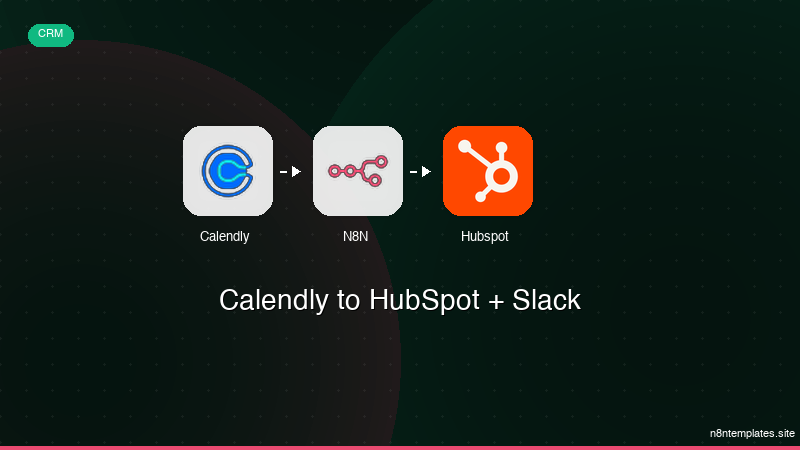
Nao comece do zero. O Calendly to HubSpot + Slack e um workflow n8n pronto para instalar que faz exatamente isso — em minutos, nao horas.
Instalar por $49 →

