
n8n Expressions Guide: Master Dynamic Data
If you've used n8n for more than a week, you've hit the wall: static values only get you so far. The moment you need to pass data between nodes dynamically — grab a field from a previous step, format
If you've used n8n for more than a week, you've hit the wall: static values only get you so far. The moment you need to pass data between nodes dynamically — grab a field from a previous step, format a date, build a conditional string — you need expressions. This guide cuts through the basics and gets you to the patterns that actually matter in production workflows.
What Are n8n Expressions, Exactly?
Expressions are JavaScript-evaluated strings wrapped in double curly braces: {{ }}. Anywhere n8n accepts a value in a field, you can switch from fixed mode to expression mode and write code that runs at execution time. The result replaces the expression in the output.
The key object you'll use constantly is $json — it references the JSON output of the current item from the previous node. But that's just the start. The full expression scope includes:
$json— current item's JSON data from the input$node["NodeName"].json— output from a specific named node$input.all()— all items from the current input$now— current timestamp as a Luxon DateTime object$vars— workflow-level variables$execution.id— the current execution ID
These aren't global variables you define — they're context objects n8n injects at runtime. You use them, you don't declare them.
The Patterns You'll Use in Every Workflow
Most expressions in real workflows fall into a handful of categories. Get these down and you'll cover 90% of cases.
Accessing nested data: JSON paths with dot notation or bracket notation both work. If the field name has spaces or special characters, use brackets.
{{ $json.customer.email }}— nested dot access{{ $json["first name"] }}— bracket access for awkward keys{{ $json.items[0].price }}— array index access
String operations: You have the full JavaScript String API available.
{{ $json.name.toUpperCase() }}{{ $json.email.split("@")[0] }}— extract username from email{{ `Hello, ${$json.firstName} ${$json.lastName}` }}— template literals work
Date formatting with Luxon: $now returns a Luxon object, and any date string can be parsed with DateTime.fromISO().
{{ $now.toFormat("yyyy-MM-dd") }}— ISO date string{{ $now.minus({ days: 7 }).toISO() }}— 7 days ago{{ DateTime.fromISO($json.created_at).toFormat("dd/MM/yyyy") }}
Conditionals: Ternary operators are your primary tool for conditional values in expressions.
{{ $json.status === "active" ? "Yes" : "No" }}{{ $json.amount > 1000 ? "High value" : "Standard" }}{{ $json.tags?.includes("vip") ? "VIP" : "Regular" }}— optional chaining prevents errors on undefined
Referencing Data Across Nodes
This is where expressions become genuinely powerful — and where most beginners get stuck. When you're deep in a workflow and need data from a node that ran three steps ago, $json won't help you. Use $node instead.
The syntax is $node["Exact Node Name"].json.fieldName. The node name must match exactly, including capitalization and spaces. A few things to know:
- This always returns the first item's output unless you specify an index:
$node["HTTP Request"].json[2].id - If the node processed multiple items, use
$node["NodeName"].datato get the full array - For IF/Switch branches, you can reference the specific branch output by node name
A common pattern: you call an API in node A, do some processing in nodes B and C, then in node D you need the original API response. Don't try to pass it through every node — just reference it directly with $node["A"].json.
Avoiding the Mistakes That Break Production Workflows
Expressions fail silently in ways that are annoying to debug. Here's what to watch for:
- Undefined vs null: Accessing a field that doesn't exist returns
undefined, which propagates as an empty string in some contexts and crashes in others. Use optional chaining:$json.nested?.field ?? "default" - Type mismatches: Numbers from JSON are strings when they come from form inputs or webhook bodies. Coerce explicitly:
Number($json.quantity)orparseInt($json.price) - Expression vs code nodes: Expressions are single-line. If you need loops, multiple assignments, or complex logic, use a Code node instead. Don't contort expressions into multi-step logic — that's what Code nodes are for.
- Item pairing in multi-item flows: When a node outputs multiple items, each item processes independently. If you use
$input.all()inside an expression on an item, you get all items — which is sometimes what you want and sometimes not.
Building reliable, production-grade n8n workflows means getting comfortable with expressions early. The syntax is minimal, the scope objects are predictable, and once you internalize the patterns above, you'll stop working around n8n's data model and start working with it. If you want a head start without building from scratch, check out the ready-made n8n templates — real workflows that show these patterns applied across actual integrations.
Ja construimos isso pra voce
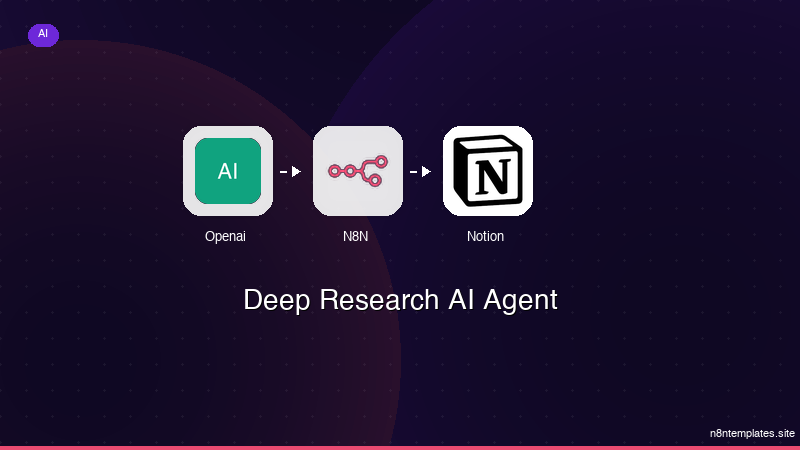
Nao comece do zero. O Deep Research AI Agent e um workflow n8n pronto para instalar que faz exatamente isso — em minutos, nao horas.
Instalar por $49 →

