
n8n Error Handling Best Practices for Production
Production n8n workflows fail silently. A node times out, an API returns a 429, a webhook fires with malformed JSON — and unless you've built error handling in from the start, you won't know until a c
Production n8n workflows fail silently. A node times out, an API returns a 429, a webhook fires with malformed JSON — and unless you've built error handling in from the start, you won't know until a client complains or you notice data is missing. Here's what actually works when you're running n8n in production, not just in testing.
Set Up a Global Error Workflow
The single most impactful thing you can do is configure a dedicated error workflow in your n8n instance settings. Go to Settings → Workflows → Error Workflow and point it to a workflow that handles failures across your entire instance. This workflow receives the error details automatically — the workflow name, node that failed, error message, and timestamp.
- Send a Slack or Telegram alert with the workflow name and error message
- Log the failure to a Google Sheet or Airtable for post-mortem analysis
- Include the execution URL so you can jump directly to the failed run
- Tag alerts by severity — a 401 auth error needs immediate attention, a flaky third-party API timeout can wait
Without this, you're flying blind. With it, you get observability across every workflow in one place.
Use Try/Catch at the Node Level
Global error handling catches unhandled failures. Node-level error handling gives you surgical control over recoverable errors. Enable "Continue on Fail" on individual nodes when you want the workflow to keep running even if that step fails — but pair it with an IF node immediately after to check what actually happened.
- Check
{{ $json.error }}after a node with "Continue on Fail" enabled - Branch into a retry path or an alternative action instead of just swallowing the failure
- For HTTP Request nodes, enable "Always Output Data" and inspect the response code — a 200 with an error body is still a failure
- Use the Error Trigger node inside a subworkflow to encapsulate retry logic you can reuse
The goal isn't to hide errors — it's to handle expected failure modes explicitly so unexpected ones still bubble up to your global handler.
Build Retry Logic That Doesn't Destroy APIs
Rate limits and transient network errors are the most common production failures. n8n's built-in retry mechanism (available in node settings) handles simple cases, but for anything serious you need controlled backoff.
- Use the Wait node between retry attempts — start with 5 seconds, double it each attempt
- Cap retries at 3–5 attempts maximum before routing to a dead-letter queue or alerting
- Respect
Retry-Afterheaders from APIs — parse them with a Code node and feed the value into the Wait node - For bulk operations, use the Loop Over Items node with a counter to implement your own controlled retry loop
- Log every retry attempt with a timestamp so you can spot patterns (some APIs degrade at specific hours)
Hammering a rate-limited API with immediate retries makes the problem worse. Exponential backoff keeps you within limits and usually resolves the issue without manual intervention.
Validate Inputs and Don't Trust External Data
Webhooks lie. APIs return unexpected shapes. Users send garbage. If your workflow assumes a field exists and it doesn't, the execution fails mid-process — sometimes after already writing partial data to a database or sending a half-formed email.
- Use an IF or Switch node at the start of any webhook-triggered workflow to validate required fields before doing anything else
- Check for null/undefined explicitly:
{{ $json.email ?? 'missing' }}surfaces problems early - For critical fields, use a Code node with a schema validation library or write simple type checks manually
- Store raw webhook payloads to a log before processing — when something breaks you have the original input to debug against
- Set explicit timeouts on HTTP Request nodes; the default is often too generous and leaves executions hanging
Defensive input handling turns obscure mid-workflow failures into clear, early failures with actionable messages.
Error handling isn't an afterthought — it's what separates a proof-of-concept workflow from one you can trust to run unsupervised at 3am. Start with the global error workflow, add node-level handling for known failure modes, build retry logic with backoff, and validate your inputs before touching any external system. If you want a head start on workflows that already have these patterns baked in, check out these ready-made n8n templates — they're built for production, not just demos.
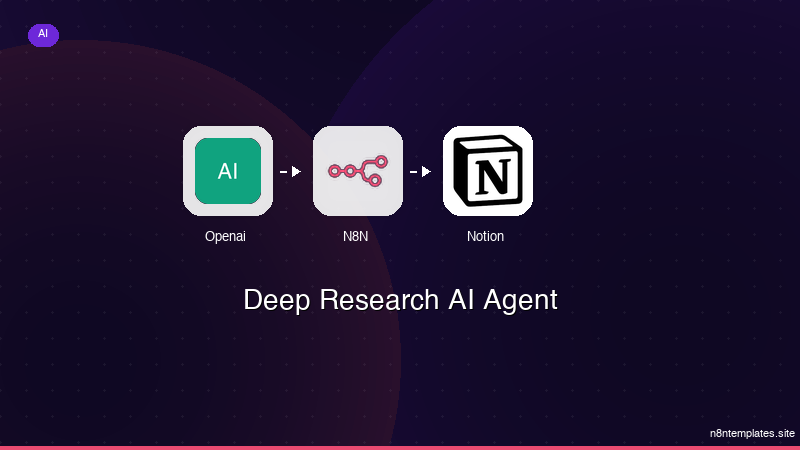
Ja construimos isso pra voce
Nao comece do zero. O Deep Research AI Agent e um workflow n8n pronto para instalar que faz exatamente isso — em minutos, nao horas.
Instalar por $49 →

