
n8n Credentials Guide: Secure API Key Storage
If you've spent any time automating workflows in n8n, you've already hit the credentials screen. API keys, OAuth tokens, webhook secrets — they all live there. Getting this right from the start saves
If you've spent any time automating workflows in n8n, you've already hit the credentials screen. API keys, OAuth tokens, webhook secrets — they all live there. Getting this right from the start saves you from the classic mistakes: hardcoded tokens in workflow nodes, credentials shared across environments, or a leaked key that takes down your integration at 2am. Here's how to handle n8n credentials the right way.
Understanding How n8n Stores Credentials
n8n encrypts credentials at rest using AES-256-CBC. The encryption key is derived from the N8N_ENCRYPTION_KEY environment variable. If you lose this key, your stored credentials become unrecoverable — not a warning, a fact. Before anything else, set this variable explicitly and back it up.
- Self-hosted: set
N8N_ENCRYPTION_KEYin your.envfile or Docker environment - Cloud: credentials are managed by n8n's infrastructure, but you still control what you store
- Never let n8n auto-generate the key in production — you won't know what it is
- Store the key in a secrets manager (AWS Secrets Manager, HashiCorp Vault, 1Password Secrets Automation) — not in a text file next to your compose stack
Credentials in n8n are decoupled from workflows by design. A workflow references a credential by name, not by value. This means you can swap credentials without touching workflow logic — which is exactly how you want staging and production to behave differently.
Best Practices for API Key Management
The credential store is only as secure as the keys you put in it. Most API key leaks don't come from n8n itself — they come from how developers handle keys before and after storing them.
- Use scoped keys wherever possible. Create API keys with only the permissions your workflow actually needs. A key that can only read from a CRM is safer than one with full write access.
- One credential per integration, not per workflow. If five workflows connect to the same HubSpot account, they should share one credential — easier to rotate, one place to audit.
- Rotate on a schedule. Set a reminder every 90 days. Some services (Stripe, GitHub) let you set expiration dates on keys — use them.
- Never put real credentials in test workflows. Use a sandbox account or a read-only key for development. Your production Stripe key has no business in a workflow you're debugging.
- Audit who has access to credentials. In self-hosted n8n, credentials are visible to all users with the right role. Lock down user roles before inviting teammates.
One pattern worth adopting: name credentials with a prefix that signals their environment. prod_hubspot_crm and dev_hubspot_crm are harder to confuse than two entries both called "HubSpot".
OAuth vs. API Keys: Which to Use
When a service supports both OAuth and API keys, prefer OAuth. The reason is simple: OAuth tokens are scoped, short-lived, and can be revoked per application. API keys are often long-lived and have broader access.
- OAuth flows in n8n handle token refresh automatically — you authenticate once and the credential stays valid
- API keys require manual rotation and don't expire by default on most platforms
- For server-to-server integrations where OAuth isn't practical, use service account keys with the minimum required permissions
- Watch out for personal access tokens masquerading as API keys — these often carry the full permissions of the user account that created them
Some services — Notion, Airtable, Linear — offer both. If you're building workflows for a team, OAuth is the right choice because it ties the authorization to your organization's account, not to an individual developer's personal token.
Environment Variables and External Secrets
For self-hosted deployments, n8n supports loading credentials from environment variables using the DB_TYPE and custom node patterns. More usefully, you can reference environment variables inside credential fields directly with the syntax ={{ $env.MY_SECRET }} in supported fields.
- This keeps sensitive values out of the n8n database entirely
- Works well with Docker secrets, Kubernetes secrets, or CI/CD variable injection
- Combine with a secrets manager for the cleanest setup: secrets manager → environment variable → n8n credential field
- Document which credentials use this pattern — future you (or your team) will need to know
If you're running n8n on a VPS without an orchestration layer, at minimum put your .env file outside the web root, restrict file permissions to 600, and never commit it to version control. Add .env to your .gitignore before your first commit, not after you've already pushed once.
Getting credentials right is infrastructure work, not afterthought work. The patterns above apply whether you're running three workflows or three hundred. If you want to skip the setup time and work with workflows that are already structured around clean credential separation, check out ready-made n8n templates — each one is built to connect to your existing credentials without modification. Lock down your encryption key, scope your API access, and treat secrets like secrets. Everything else follows from there.
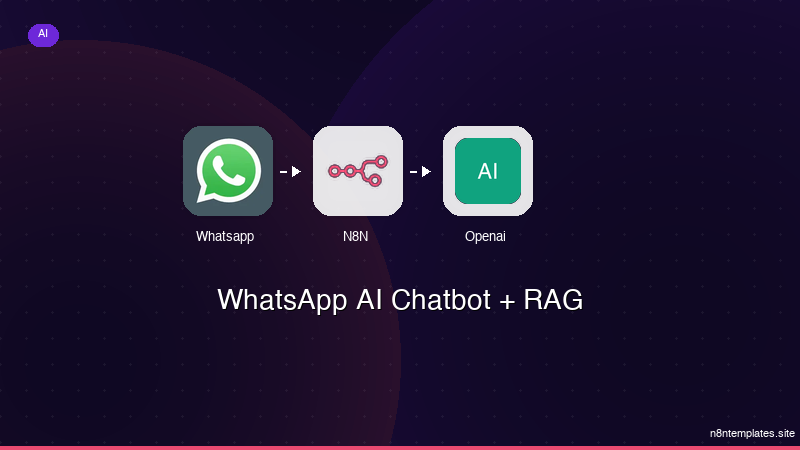
Ja construimos isso pra voce
Nao comece do zero. O WhatsApp AI Chatbot + RAG e um workflow n8n pronto para instalar que faz exatamente isso — em minutos, nao horas.
Instalar por $59 →

