
n8n and Pipedrive: Complete Sales Automation Guide
If you're running your sales pipeline in Pipedrive and your automation in n8n, you're already halfway to a setup that runs itself. The missing piece is wiring them together properly — so leads flow in
If you're running your sales pipeline in Pipedrive and your automation in n8n, you're already halfway to a setup that runs itself. The missing piece is wiring them together properly — so leads flow in, tasks get created, follow-ups fire automatically, and your team spends time selling instead of updating CRM fields.
What n8n Brings to Pipedrive
Pipedrive has a solid API and decent built-in automations, but they hit a ceiling fast. You can't easily branch logic across multiple tools, enrich contacts from external sources, or trigger multi-step sequences based on custom conditions. That's where n8n fills the gap.
- Pipedrive's native automations are linear — n8n lets you build conditional branches, loops, and parallel paths
- n8n connects Pipedrive to tools Pipedrive doesn't natively support: Slack, WhatsApp, Google Sheets, OpenAI, Notion
- You own the logic — no per-action pricing, no vendor lock-in on your automation rules
- Webhooks from Pipedrive trigger n8n instantly, so workflows run in real time
Core Automation Patterns That Actually Work
These are the workflows that deliver real time savings in Pipedrive sales operations — not theoretical use cases, but patterns used in active pipelines.
- Lead enrichment on deal creation: When a new deal hits Pipedrive, n8n fires, pulls company data from Clearbit or Hunter.io, and updates the deal fields before a rep even opens it
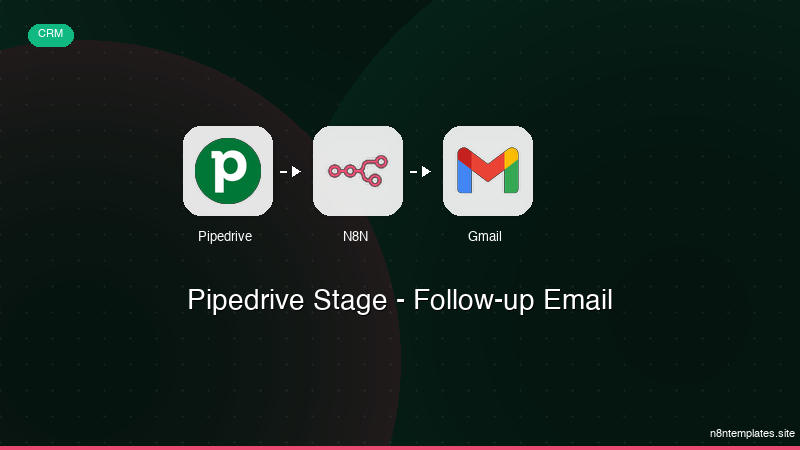
- Stage-based follow-up sequences: Deal moves to "Proposal Sent" → n8n schedules follow-up emails at day 2, day 5, and day 10, cancels the sequence if the deal advances
- Slack notifications by deal value: Deals above a threshold trigger a channel message with deal owner, company name, and direct Pipedrive link — no one misses a high-value opportunity
- Stale deal alerts: n8n runs daily, checks for deals with no activity in 7+ days, sends a Slack DM to the owner with deal context and a one-click link to update
- Won deal → onboarding trigger: Deal marked Won → n8n creates a project in Notion or Asana, sends a welcome email, notifies the implementation team
Setting Up the n8n–Pipedrive Connection
The integration uses two entry points: Pipedrive webhooks (for real-time triggers) and the Pipedrive node in n8n (for reads, writes, and searches). Here's the setup sequence:
- In Pipedrive: go to Settings → Webhooks → create a webhook pointing to your n8n instance URL with the event type you need (deal updated, person created, etc.)
- In n8n: use the Webhook node as trigger, then add a Pipedrive node for any reads or writes back to the CRM
- Authenticate with OAuth2 — n8n's Pipedrive credential handles this natively, takes about two minutes
- Test with a real event before deploying — Pipedrive's webhook delivery is reliable but the payload structure varies by object type
One thing that trips people up: Pipedrive sends webhook payloads for the changed fields only, not the full object. If your workflow needs deal fields that didn't change in the triggering event, add a Pipedrive GET node right after the webhook trigger to pull the complete deal data.
Where People Waste Time Building This From Scratch
The patterns above sound straightforward, but the actual build time adds up. Each workflow involves handling edge cases: what happens if the API rate limits? What if the deal owner field is empty? What if the webhook fires twice for the same event?
A clean Pipedrive + n8n workflow isn't 20 nodes thrown together — it's 40-60 nodes with proper error handling, deduplication logic, and conditional branches that account for real data quality issues in a live CRM.
- Error handling branches add 30-40% more nodes to any production workflow
- Deduplication (preventing the same automation from firing twice) requires storing state, usually in Redis or a simple database node
- Testing against a live Pipedrive account with real-ish data takes hours to get right
If you want to skip the build time and deploy proven workflows directly, the ready-made n8n templates cover the most common Pipedrive automation patterns — fully documented, production-tested, and ready to import into any n8n instance.
What to Automate First
If you're starting from zero, prioritize workflows with the highest manual-to-automated ratio. The stale deal alert and stage-based follow-up sequences typically save 45-90 minutes per rep per week — and they're the fastest to validate because the impact shows up in pipeline hygiene within days, not weeks.
After those are stable, move to enrichment and won-deal triggers. Those have downstream dependencies (your onboarding team, your email provider, your project tool), so they require more coordination but deliver more compounding value over time.
The goal isn't automation for its own sake — it's getting your team to spend zero time on CRM housekeeping so they can spend all their time on the conversations that close deals.
Ja construimos isso pra voce
Nao comece do zero. O Pipedrive Stage - Follow-up Email e um workflow n8n pronto para instalar que faz exatamente isso — em minutos, nao horas.
Instalar por $39 →

