
n8n and Notion: Automate Your Knowledge Base
If you're using Notion as your team's knowledge base and n8n for automation, you're already halfway to a self-maintaining documentation system. The combination is underrated — Notion's API is solid, n
If you're using Notion as your team's knowledge base and n8n for automation, you're already halfway to a self-maintaining documentation system. The combination is underrated — Notion's API is solid, n8n handles complex logic without code, and connecting the two takes maybe an afternoon. Here's what actually works in production.
What You Can Automate Between n8n and Notion
The Notion API exposes databases, pages, blocks, and comments. n8n has a native Notion node that handles authentication and most operations without writing a single line of code. The practical use cases that deliver real value:
- Auto-create Notion pages from form submissions, emails, or Slack messages
- Sync data from external sources (Airtable, Google Sheets, CRMs) into Notion databases
- Trigger workflows when a Notion database entry changes status
- Archive or tag pages based on age, author, or content type
- Push Notion content to other systems — newsletters, wikis, internal tools
The trigger side is where most teams get stuck. Notion doesn't support webhooks natively, so you poll on a schedule or use a workaround through Zapier's webhook relay (not ideal) or build your own polling node in n8n. The polling approach works fine for most cases — just set a reasonable interval and filter by last edited time.
Building a Self-Updating Knowledge Base
The most useful pattern is a workflow that routes content into Notion automatically. Say your team gets support questions on email or Slack — instead of someone manually copying those into a Notion FAQ database, n8n intercepts them, extracts the question and answer, formats them correctly, and creates the Notion page with tags and metadata already set.
A basic version of this workflow has four nodes:
- Trigger: Gmail, Slack, or a webhook that fires when new content arrives
- Transform: Set node or Function node to extract title, body, category, and tags
- Notion node: Create a page in the target database with the structured data
- Notification: Optional — ping a Slack channel or send a confirmation email
The Notion node in n8n accepts rich text formatting, so you can send structured content, not just plain text. You can also set database properties — select fields, dates, relations — which makes the created pages immediately queryable without manual cleanup.
Keeping Notion in Sync With External Tools
Most teams use Notion alongside at least one CRM, project management tool, or data source. Keeping those in sync manually is where things break down. n8n handles bidirectional sync well if you're careful about conflict resolution.
For a one-way sync (external tool → Notion), the pattern is straightforward: poll or webhook from source, transform the data to match Notion's database schema, upsert using a unique identifier to avoid duplicates. The Notion node supports both create and update operations, and you can query existing records by a property value before deciding which operation to run.
For bidirectional sync, add a last-modified timestamp comparison before writing. If the Notion version is newer, skip the update. If the external tool is newer, write to Notion. This avoids overwrite loops that corrupt both systems.
- Always use a stable external ID as the sync key — not the Notion page ID, which changes if you move pages
- Log every sync operation to a separate Notion database or a simple JSON file — debugging sync issues without logs is painful
- Rate limit your workflows — Notion's API allows 3 requests per second per integration
Practical Workflow: Auto-Archive Stale Pages
One workflow that every team eventually wants: automatically tag or archive Notion pages that haven't been updated in 90 days. This keeps the knowledge base clean without anyone having to audit it manually.
Build it with a scheduled trigger (weekly is enough), a Notion query node that filters by last edited time older than your threshold, and an update node that sets a "Stale" tag or moves the page to an archive database. Add a filter node between the query and update to skip pages explicitly marked as evergreen.
Run it on Sunday nights so Monday morning the knowledge base reflects current, active content without anyone lifting a finger.
If you want to skip the build-from-scratch phase and start with production-ready logic, there are ready-made n8n templates that cover Notion sync, auto-archiving, and content routing workflows — already tested, documented, and importable in under five minutes. The n8n + Notion integration has enough moving parts that starting from a working template saves hours of debugging edge cases in the Notion API response format.
The bottom line: n8n and Notion together give you a knowledge base that actually stays current. The automation removes the manual overhead that causes documentation to rot. Set it up once, and it runs without you.
Ja construimos isso pra voce
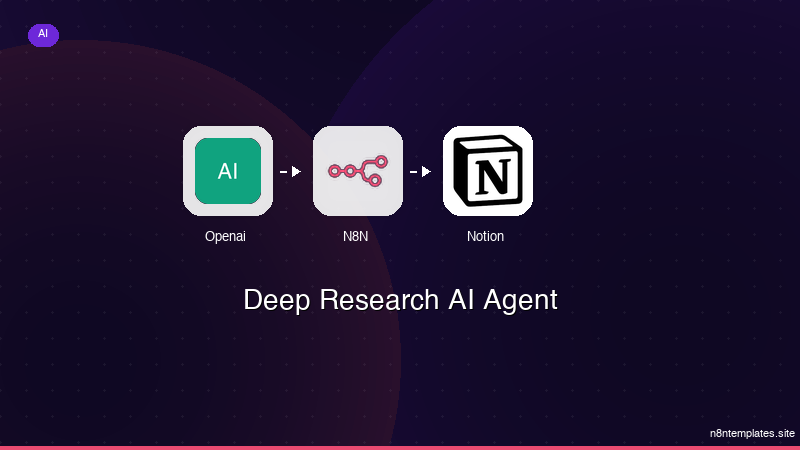
Nao comece do zero. O Deep Research AI Agent e um workflow n8n pronto para instalar que faz exatamente isso — em minutos, nao horas.
Instalar por $49 →

