
How to Use n8n to Score and Route Leads Automatically
Most businesses treat lead routing as an afterthought — someone fills out a form, it lands in a spreadsheet, and a sales rep manually decides what to do next. That gap between capture and action costs

Most businesses treat lead routing as an afterthought — someone fills out a form, it lands in a spreadsheet, and a sales rep manually decides what to do next. That gap between capture and action costs deals. n8n lets you close it with a workflow that scores every incoming lead and routes it to the right person or queue automatically, without writing a backend service from scratch.
What Lead Scoring Actually Means in Practice
Lead scoring assigns a numeric value to a contact based on attributes you define. The goal is to separate leads worth a same-day call from ones that need nurturing. A practical scoring model for B2B usually combines:
- Firmographic signals — company size, industry, annual revenue
- Behavioral signals — pages visited, content downloaded, email opens
- Demographic fit — job title, seniority, geography
- Source quality — paid search leads often convert differently than organic
In n8n, you implement this as a Function node that takes raw webhook data from your form or CRM and returns an enriched object with a score field. The logic lives in JavaScript — straightforward conditional additions and subtractions based on the fields you receive.
Building the Scoring Logic in n8n
The workflow starts with a Webhook node that receives a POST request every time a lead submits a form or enters your CRM. From there, you pipe the data into a Code node where the scoring happens. A minimal version looks like this: start at zero, add 20 points if the company has more than 100 employees, add 15 if the job title contains "director" or "VP", add 10 if the source is a high-intent keyword campaign, subtract 10 if the domain is a free email provider like Gmail or Outlook.
The output of that node is the original lead payload with a new score integer appended. Keep the logic transparent — a score of 55 should be traceable back to exactly which conditions fired. This matters when sales questions a routing decision.
You can enrich the lead before scoring by calling a data provider API — Clearbit, Apollo, or Hunter — inside the same workflow. An HTTP Request node fetches company data by domain, and you merge it with the form submission before the Code node runs. This way you score on real company data, not just what the prospect typed into the form.
Routing Based on Score Thresholds
Once the lead has a score, a Switch node branches the workflow into lanes. A common three-tier model:
- High priority (score ≥ 70) — route directly to a senior sales rep via Slack message with full lead context and a CRM task created with a 2-hour SLA
- Medium priority (score 40–69) — add to a sequences queue in your email tool (HubSpot, ActiveCampaign, or similar) and notify the SDR channel
- Low priority (score < 40) — tag in CRM as "nurture", enroll in a long-form drip sequence, no human alert
Each branch uses the native n8n integrations — Slack, HubSpot, Salesforce, Pipedrive, Airtable — to take action without leaving the workflow. The entire process from form submission to routed lead takes under three seconds.
For teams using round-robin assignment, you can maintain a simple counter in a Google Sheet or a low-cost database node (Supabase, Postgres) and increment it on every high-priority route. The workflow reads the current rep index, assigns the lead, and writes back the updated index. No external service needed.
Handling Edge Cases and Keeping the System Reliable
A few things break scoring workflows in production that are worth addressing upfront:
- Missing fields — always default to zero contribution for any field that's absent rather than throwing an error. A lead without a company size should score neutrally, not crash the workflow.
- Duplicate submissions — check for the lead's email in your CRM before processing. If it already exists, update the score rather than creating a duplicate record.
- API rate limits — if you're enriching leads with a third-party API, add error handling so the workflow continues with unenriched data if the enrichment call fails. Failing open is better than failing closed.
- Logging — write every scored lead to an audit table with timestamp, score, and which conditions fired. You will need this when calibrating thresholds after the first month of data.
n8n's error workflow feature lets you catch exceptions globally and route failed executions to a Slack alert or a dead-letter queue for manual review. Set this up before going live — silent failures in lead routing are expensive.
If you want to skip the build-from-scratch phase, ready-made n8n templates for lead scoring and CRM routing give you a working baseline you can adapt to your specific fields and thresholds in under an hour.
Lead scoring and routing is one of those automations that pays for itself immediately. The manual version — a rep triaging a shared inbox — introduces latency, inconsistency, and bias. A workflow that scores in milliseconds and routes without human intervention means your best leads get contacted faster, your team's time goes to conversations that matter, and the system improves as you tune the thresholds against real conversion data.
Ja construimos isso pra voce
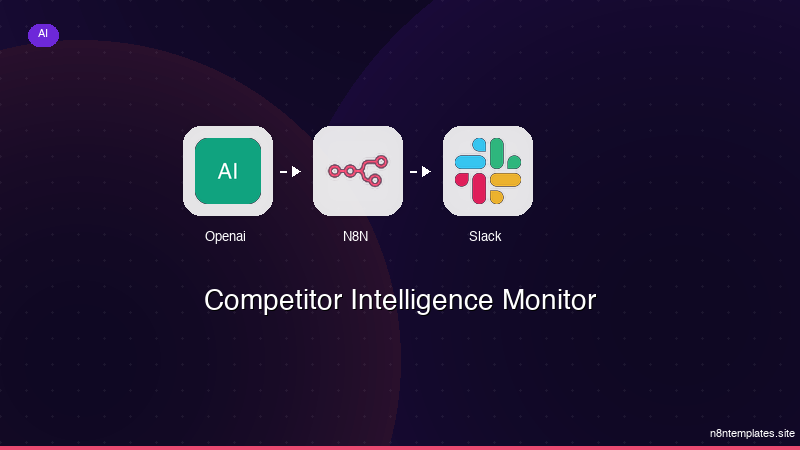
Nao comece do zero. O Competitor Intelligence Monitor e um workflow n8n pronto para instalar que faz exatamente isso — em minutos, nao horas.
Instalar por $59 →

