
How to Use n8n Sub-Workflows at Scale
Sub-workflows are one of the most underused features in n8n — and one of the most powerful once you start building automations that actually need to scale. Instead of cramming every step into a single
Sub-workflows are one of the most underused features in n8n — and one of the most powerful once you start building automations that actually need to scale. Instead of cramming every step into a single workflow that becomes impossible to debug at 3am, sub-workflows let you break execution into discrete, reusable units. This article covers how to structure them, when to use them, and the patterns that hold up when your automation volume grows from tens to thousands of executions per day.
What Sub-Workflows Actually Are (and Aren't)
A sub-workflow in n8n is just a regular workflow triggered by the Execute Workflow node instead of a webhook or schedule. The parent workflow passes data in, the sub-workflow processes it, and optionally returns a result. That's the whole model.
What they're not: microservices, queues, or separate processes. They run synchronously by default within the same n8n instance. If you need true async fan-out, you'll need to pair them with a queue mechanism like Redis or a webhook handoff. But for the majority of use cases — modular logic, reusable processing blocks, conditional branching — synchronous sub-workflows are exactly right.
- Use Execute Workflow to call a sub-workflow and wait for the result
- Use Execute Workflow Trigger as the entry point inside the sub-workflow
- Data passed in arrives at the trigger node as items — same format as any other node output
Patterns That Scale
There are three patterns that come up repeatedly in production automations. Knowing which one fits your situation saves you from architectural rework later.
1. The reusable utility block. You have logic that appears in multiple workflows — normalizing a contact record, formatting a date, enriching a lead from an API. Extract it into a sub-workflow once. Every parent workflow calls it the same way. When the logic changes, you update one place.
2. The conditional router. Your main workflow receives an event and needs to dispatch to different processing paths based on payload content. Instead of branching everything inline with IF nodes that multiply exponentially, each branch becomes a sub-workflow. The main workflow stays flat: receive event → route → done.
3. The per-item processor. You're iterating over a list — orders, contacts, rows — and each item needs non-trivial processing. Wrap that processing in a sub-workflow and call it inside a loop. This keeps the per-item logic isolated and testable independently.
- Keep sub-workflows focused on one responsibility — if you're naming it "process and notify and log", split it
- Pass only what the sub-workflow needs — don't forward the entire parent payload as a habit
- Return structured data from sub-workflows so parent workflows can reliably parse the output
Error Handling at Scale
This is where most implementations break down. When a sub-workflow fails, the Execute Workflow node throws an error in the parent — which is the right behavior, but only useful if you've thought about what the parent should do with it.
The two approaches that work in production:
Fail fast. Let the error propagate up. The parent workflow fails, n8n logs it, and your error workflow (set in workflow settings) handles alerting and retry logic. Simple, transparent, easy to monitor. Works when all-or-nothing execution is acceptable.
Isolate and continue. Wrap the Execute Workflow node in a try-catch equivalent using n8n's error output pin. Capture failed items, log them separately, and continue processing the rest. Works when partial success is better than total failure — processing 980 of 1000 records is usually better than processing zero.
- Always set a workflow-level error handler in production — the default silent failure is not acceptable at scale
- Log sub-workflow failures with enough context to replay: input data, timestamp, workflow ID
- Test failure paths explicitly — don't assume your error handling works until you've made it fail on purpose
Performance Considerations
Sub-workflows add overhead. Each Execute Workflow call is a new execution context in n8n's database. At low volume this is invisible. At high volume — thousands of executions per hour — it creates storage pressure and can affect UI responsiveness if you're on a self-hosted instance.
Practical mitigations:
- Set execution data pruning aggressively — keep 7 days of logs, not 90
- Batch items before calling sub-workflows when possible — 10 calls of 100 items beats 1000 calls of 1 item
- Monitor queue depth if you're using n8n's queue mode — sub-workflows can exhaust worker capacity if parent workflows fan out without limits
- Use pinned data during development so you're not hitting external APIs every test run
Sub-workflows are a structural decision, not a feature you bolt on later. The teams that get the most out of n8n at scale design for them from the start — building a library of reliable, testable processing blocks that compose cleanly. If you want to skip the setup work and start from proven patterns, ready-made n8n templates give you that foundation immediately. The architecture decisions are already made — you just adapt them to your data.
Ja construimos isso pra voce
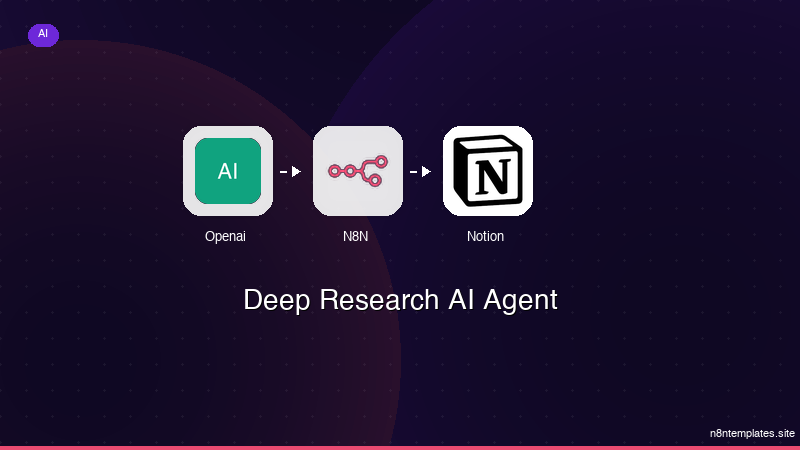
Nao comece do zero. O Deep Research AI Agent e um workflow n8n pronto para instalar que faz exatamente isso — em minutos, nao horas.
Instalar por $49 →

