
How to Send Personalized Emails at Scale with n8n
Sending personalized emails to thousands of contacts without burning hours on manual work is exactly the kind of problem n8n was built to solve. Whether you're running a SaaS drip campaign, a product
Sending personalized emails to thousands of contacts without burning hours on manual work is exactly the kind of problem n8n was built to solve. Whether you're running a SaaS drip campaign, a product launch sequence, or a weekly digest, n8n gives you the plumbing to pull contact data, generate dynamic content, and fire off emails — all without touching the same config twice.
Why Most Email Automation Setups Break at Scale
The typical failure mode looks like this: you build a sequence in your ESP, it works for 200 contacts, then at 5,000 you hit rate limits, merge tag failures, or segment logic that doesn't hold up. The problem isn't volume — it's that most ESP-native automations weren't designed for dynamic, data-driven personalization across multiple sources.
n8n fixes this by letting you treat email as an output, not the center of your workflow. You pull data from wherever it lives, transform it, and push to your email provider via API. That separation matters.
The Core Pattern: Fetch, Transform, Send
Every scalable email workflow in n8n follows the same three-step pattern:
- Fetch — Pull contact records from your CRM, database, or spreadsheet. Use the HTTP Request node, the Postgres node, or a native integration like HubSpot or Airtable.
- Transform — Use the Code node or Set node to build personalized fields: first name, company, last purchase date, plan tier, whatever your template needs. This is where you inject logic — if the contact is on a free plan, use copy A; paid plan, use copy B.
- Send — Pass the transformed payload to your email provider. n8n has native nodes for SendGrid, Mailgun, Gmail, SMTP, and others. Use the subject and body fields with expressions like
{{ $json.firstName }}to render per-contact values.
That's the skeleton. Everything else — throttling, error handling, batch chunking — layers on top of it.
Handling Rate Limits and Batch Size
Sending 10,000 emails in a single loop will get your domain flagged or your API key suspended. The fix in n8n is straightforward:
- Use the Split In Batches node to chunk your contact list into groups of 50–200, depending on your provider's limits.
- Add a Wait node between batches — even a 1–2 second delay is usually enough to stay under burst limits.
- For high-volume sends (100k+), consider routing through a dedicated transactional provider like SendGrid or Postmark and using their batch endpoint rather than per-contact API calls.
- Log each successful send to a database or Google Sheet so you can resume from a checkpoint if the workflow fails midway.
The Split In Batches + Wait pattern is underused. Most people hit rate limit errors once and assume n8n can't handle scale — it can, it just needs the right pacing.
Dynamic Content Without a Template Engine
You don't need Handlebars or Liquid to get real personalization. n8n's expression engine handles most cases inline. A few patterns that work well in production:
- Conditional blocks — Use a JavaScript expression in the Code node to build the email body as a string, branching on contact properties. Cleaner than trying to stuff conditional logic into an HTML template.
- Product recommendations — If you're storing purchase history in a database, query the last 3 purchases per contact in a sub-workflow, pass the results as an array, and iterate with a loop to build a personalized product block.
- Dynamic subject lines — A/B test subject lines by using the Math.random() expression to assign variant A or B per contact, then track open rates against that flag in your analytics table.
- Merge from multiple sources — Use the Merge node to join CRM data with behavioral data from your analytics platform before building the final payload. Unified profiles = better personalization.
If you want to skip the build time and start with working workflows, ready-made n8n templates cover the most common email automation patterns — drip sequences, CRM sync, transactional triggers — all pre-wired and ready to connect to your stack.
Error Handling You'll Actually Need
Production email workflows fail in predictable ways: invalid email addresses, API timeouts, contacts missing required fields. Set up these guardrails before you go live:
- Add an IF node before the send step to filter out contacts with null or malformed email fields.
- Enable the Error Trigger workflow in n8n to catch failed executions and route them to a Slack alert or a retry queue.
- Use n8n's built-in retry on fail option on HTTP Request nodes for transient API errors — set it to 3 retries with exponential backoff.
- Store failed sends in a separate table with the error reason, so you can replay them after fixing the root cause without reprocessing the full list.
Personalized email at scale isn't a tool problem — it's an architecture problem. n8n gives you the primitives to solve it properly: composable nodes, real code execution, and direct API access to any provider. Build the Fetch → Transform → Send pattern once, wire in your error handling, and you have a system that runs reliably whether you're sending to 500 contacts or 500,000.
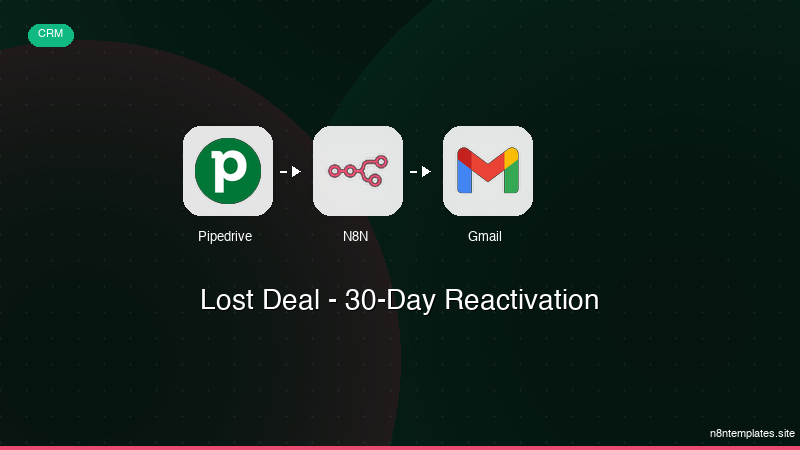
Ja construimos isso pra voce
Nao comece do zero. O Lost Deal - 30-Day Reactivation e um workflow n8n pronto para instalar que faz exatamente isso — em minutos, nao horas.
Instalar por $49 →

