
How to Build a Customer Feedback Loop with n8n
Customer feedback is only useful if it actually changes something. Most teams collect it, dump it into a spreadsheet, and forget about it by Thursday. Building a real feedback loop — where input from
Customer feedback is only useful if it actually changes something. Most teams collect it, dump it into a spreadsheet, and forget about it by Thursday. Building a real feedback loop — where input from users automatically triggers action — is where n8n shines. You wire the collection, analysis, and response steps together once, and the system does the rest.
What a Feedback Loop Actually Looks Like
A proper feedback loop has four stages: collect, analyze, route, and close. Each stage needs to talk to the next without a human in the middle. In n8n, this means chaining nodes that handle each transition automatically.
- Collect: Typeform, Tally, or a custom webhook receives the response
- Analyze: Score the sentiment or extract key topics (Claude or OpenAI nodes work here)
- Route: Negative feedback goes to support, product feedback goes to Notion or Linear
- Close: The customer gets a confirmation email, the team gets a Slack message
The gap between "we collect feedback" and "feedback drives action" is almost always an automation problem, not a process problem. Once the plumbing exists, the process follows.
Setting Up the Collection Trigger
Start with a Webhook node or a form integration. If you're using Typeform, n8n has a native trigger. If you're rolling your own form, a Webhook node with a POST endpoint is cleaner — less dependency on a third-party poll interval.
- Use a Webhook trigger for real-time processing; polling adds unnecessary lag
- Map fields immediately in a Set node so downstream nodes don't break when the form changes
- Include a timestamp and a unique response ID — you'll need these when tracking resolution
- If you're collecting NPS scores, capture the raw number and the comment separately
One practical move: add a filter node right after collection that drops test submissions and empty responses before they propagate through the workflow. Garbage in, garbage out applies here too.
Analyzing and Routing Feedback Automatically
This is where most homegrown feedback systems break down — everything lands in one inbox and someone has to manually triage it. In n8n, you replace that person with logic.
- Use an IF node to branch on NPS score: detractors (0–6) go one path, promoters (9–10) go another
- For open-text comments, pipe them through an AI node to classify intent — bug report, feature request, compliment, churn signal
- Route bug reports to a Linear or Jira node that creates an issue automatically
- Route churn signals to a CRM node that flags the contact and notifies the account manager
- Route feature requests to a Notion database with the raw comment and the customer segment
The AI classification step is worth the extra node. Keyword matching breaks on phrasing variations. A simple prompt — "Classify this feedback as: bug, feature request, praise, churn risk, or other" — handles natural language far better and costs fractions of a cent per response.
Closing the Loop with the Customer
A feedback loop that doesn't communicate back isn't a loop — it's a black hole. Closing the loop means the customer knows their input was received and, where possible, acted on.
- Send an automated confirmation email immediately via Gmail or SendGrid node
- For detractors, route to a personal email from a human account, not a noreply address
- When a bug gets resolved, trigger a follow-up to the original reporter — n8n can watch your issue tracker and fire this automatically
- For NPS promoters, include a referral or review link in the confirmation — they're already warm
The follow-up on resolution is the part almost nobody does. It's also the part that turns a frustrated user into a loyal one. An n8n workflow watching for status changes in Linear or Jira and sending a "we fixed this" email is a one-hour build with disproportionate impact.
Putting It Together
The full workflow is maybe 15–20 nodes: trigger, normalize, filter, classify, branch, route to tools, send confirmation, log to a reporting sheet. Each node does one thing. The whole thing runs without anyone touching it.
If you want to skip the build-from-scratch phase, there are ready-made n8n templates that cover the common feedback automation patterns — NPS routing, AI classification, CRM sync — already wired up and tested. You import, configure your credentials, and you're running in an afternoon instead of a week.
The feedback loop isn't a feature. It's infrastructure. Build it once, and every piece of feedback you collect from that point forward actually has a chance of changing something.
Ja construimos isso pra voce
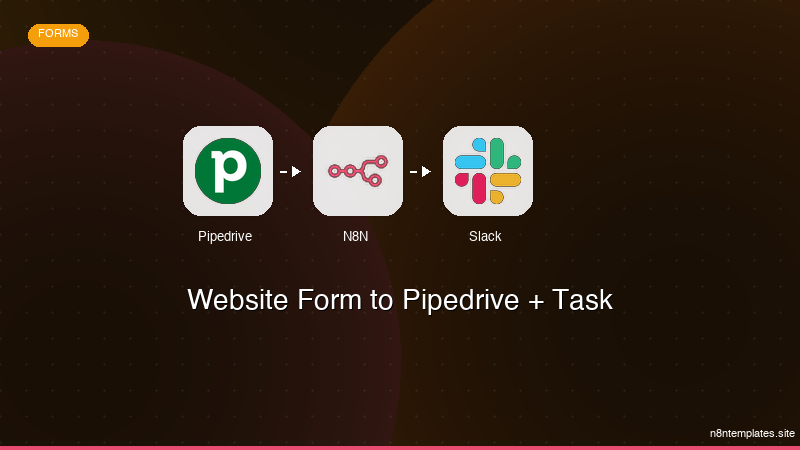
Nao comece do zero. O Website Form to Pipedrive + Task e um workflow n8n pronto para instalar que faz exatamente isso — em minutos, nao horas.
Instalar por $29 →

