
How to Build a CRM Automation Pipeline with n8n
If you're still manually moving leads between your CRM and the rest of your stack, you're burning engineering time on work that n8n handles in minutes. Building a CRM automation pipeline isn't a weeke
If you're still manually moving leads between your CRM and the rest of your stack, you're burning engineering time on work that n8n handles in minutes. Building a CRM automation pipeline isn't a weekend project — it's a couple of hours if you know what you're doing. Here's the practical breakdown.
What a CRM Automation Pipeline Actually Looks Like
A solid pipeline connects three layers: lead capture, CRM sync, and follow-up triggers. The goal is zero manual hand-offs between them. In n8n, this means chaining webhooks, HTTP Request nodes, and conditional logic into a flow that runs without anyone touching it.
- Trigger layer: Webhook from a form, Typeform, or ad platform (Meta Leads, Google Ads)
- Enrichment layer: Pull company data, score the lead, deduplicate against existing contacts
- CRM sync layer: Create or update contact in Pipedrive, HubSpot, or any CRM with an API
- Action layer: Send a Slack alert, enroll in an email sequence, assign to a rep
Each layer is a distinct set of nodes. Keep them separated — it makes debugging trivial when something breaks in production.
Setting Up the Trigger and Enrichment Stage
Start with a Webhook node as your entry point. Every lead source — your landing page, an ad form, a chatbot — posts to this single endpoint. That's your contract with the outside world.
Once data hits the webhook, run it through a few transformations before touching your CRM:
- Use a Set node to normalize field names (different sources send email as
email,Email, orcontact_email— flatten this early) - Add a Function node to compute lead score based on company size, role, or UTM source
- Query your CRM via HTTP Request to check if the contact already exists — update, don't duplicate
- Use an IF node to branch: new contact goes down one path, existing contact goes another
The enrichment stage is where most pipelines get sloppy. People skip deduplication and wonder why their CRM has 400 contacts named "John Smith." Run the lookup every time.
Syncing to Your CRM with Error Handling
n8n has native nodes for HubSpot, Pipedrive, Salesforce, and most major CRMs. Use them over raw HTTP Requests when you can — they handle OAuth refresh and pagination automatically.
For CRMs without a native node, the HTTP Request node covers everything. Set it to POST or PATCH, pass your API token in the Authorization header, and map your normalized fields to the CRM's expected schema.
- Always wrap CRM writes in an Error Trigger workflow — failed syncs should alert you immediately, not silently drop leads
- Use Retry on Fail (built into every node) with 2-3 attempts and a short backoff
- Log every failed payload to a Google Sheet or Airtable so you can replay it manually if needed
- For high-volume pipelines, add a Wait node between batches to avoid hitting rate limits
The error handling layer isn't optional. A pipeline that silently fails is worse than no pipeline — you'll trust the data until you realize it's wrong.
Triggering Follow-Up Actions After CRM Sync
Once the contact is in your CRM, you want actions to fire automatically. This is where the pipeline pays for itself.
- Slack notification: Route high-score leads to a #hot-leads channel with contact details and source
- Email sequence enrollment: POST to your ESP (Mailchimp, ActiveCampaign, Brevo) to add the contact to the right sequence based on their segment
- Task creation: Create a follow-up task in your CRM or project management tool, assigned to the right rep based on territory or product line
- Deal creation: For qualified leads, auto-create a deal in Pipedrive or HubSpot at the right pipeline stage
Run these actions in parallel using n8n's split-in-batches or by connecting multiple nodes to the same output. There's no reason to wait for Slack before creating the deal — fire everything at once.
The whole pipeline — webhook to CRM to follow-up — should complete in under two seconds for a single lead. If it's slower, profile which node is the bottleneck and look at what API call is hanging.
Skip the Build-From-Scratch Part
If you'd rather deploy a tested pipeline than wire every node yourself, there are ready-made n8n templates built specifically for CRM automation — Pipedrive sync, HubSpot enrichment, lead scoring, and multi-channel follow-up, all pre-configured and documented. Import, configure your credentials, and you're live in under an hour.
CRM automation with n8n isn't complicated — it's just a sequence of decisions you make once and let run forever. Get the trigger right, normalize your data early, handle errors explicitly, and your pipeline will run without you. That's the point.
Ja construimos isso pra voce
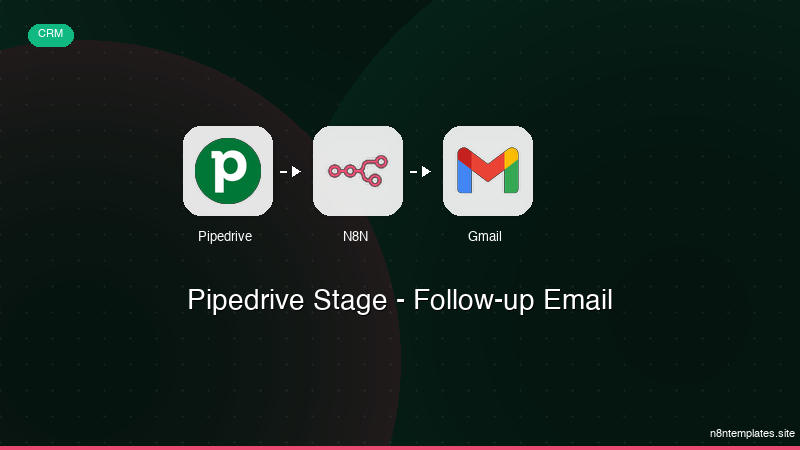
Nao comece do zero. O Pipedrive Stage - Follow-up Email e um workflow n8n pronto para instalar que faz exatamente isso — em minutos, nao horas.
Instalar por $39 →

