
How to Automate Social Media Posting with n8n
Manual social media posting is a time sink. If you're copying content between platforms, scheduling posts one by one, or waking up at odd hours to hit peak engagement windows, you're doing work that a
Manual social media posting is a time sink. If you're copying content between platforms, scheduling posts one by one, or waking up at odd hours to hit peak engagement windows, you're doing work that a machine should handle. n8n makes it straightforward to build automation pipelines that post to multiple platforms, trigger on schedules or events, and adapt content per channel — without locking you into overpriced SaaS tools.
Why n8n for Social Media Automation
Most automation platforms either restrict what you can connect or charge per operation at a scale that becomes expensive fast. n8n runs self-hosted, gives you full control over credentials, and lets you build logic that actually matches your workflow — not the other way around. For social media specifically, the advantages are concrete:
- Native nodes for Twitter/X, LinkedIn, Telegram, Discord, and Slack — no custom HTTP needed for the common cases
- HTTP Request node covers anything with an API: Instagram via Meta Graph, TikTok, Bluesky, Mastodon
- Schedule Trigger lets you post on precise cron schedules down to the minute
- Webhook Trigger means you can fire posts from external events — a new product, a CMS publish, a form submission
- Conditional logic lets you route content differently per platform without duplicating workflows
Core Architecture of a Social Posting Workflow
A solid social media automation workflow in n8n has three layers: trigger, content preparation, and distribution. Getting this separation right means you can swap out any layer without rebuilding the whole thing.
Trigger layer: Use a Schedule Trigger for time-based posts. Use a Webhook or an RSS Feed Read node if you want posts driven by external events — like a new blog article or a product launch. You can also pull from a Google Sheet or Airtable as a content queue, polling it on a schedule and marking rows as published after dispatch.
Content preparation: This is where you adapt content per platform. A LinkedIn post needs a different length and tone than a tweet. Use a Set node or a Code node to split text, strip hashtags for LinkedIn, add them for Twitter, and format accordingly. If you're generating content with AI, drop an OpenAI or Anthropic node here — pass your raw content and get back platform-optimized versions in a single step.
Distribution: Fan out to each platform using parallel branches. n8n lets you run multiple nodes after a single trigger without waiting for one to finish before starting the next. Each branch handles one platform. Failed posts write to an error log or send a Slack notification — they don't silently disappear.
Handling Images and Media
Text-only posts are simple. Media adds complexity, but n8n handles it cleanly once you understand the pattern:
- Store image URLs in your content source (Google Sheet, Airtable, Notion) and fetch them with an HTTP Request node during the workflow run
- For platforms that require multipart form uploads (Twitter media upload, for example), use the HTTP Request node with binary data — read the file, pass it as binary, set the correct content type
- If you generate images dynamically, call an image generation API in the content preparation layer and pipe the binary output directly into the upload step
- Cache media IDs when a platform (like Twitter) requires a separate media upload before posting — store the returned media ID in a Set node and reference it in the post step
The key principle: treat media as just another data type flowing through the pipeline. n8n's binary data handling is robust enough to move images between nodes without saving to disk unless you need persistence.
Scheduling, Rate Limits, and Reliability
A workflow that fails silently is worse than no automation at all. Build reliability in from the start:
- Wrap distribution nodes in Try/Catch — n8n's error workflow feature lets you route failures to a notification node instead of dropping them
- Respect platform rate limits. Twitter allows roughly 300 posts per 3 hours per app. LinkedIn limits updates via API. Add Wait nodes between iterations if you're posting in bulk
- For content queues, use a status column. Mark rows as "pending", "posted", or "failed". Query only pending rows at each trigger, update the row after success
- Log every post — timestamp, platform, content snippet, status. A simple append to Google Sheets works. You'll thank yourself when debugging a week later
- Test with a private or sandbox account before going live. Especially on Twitter — accidental bulk posts under your real handle are visible immediately
If you want to skip the build-from-scratch part, there are ready-made n8n templates that cover the most common social media automation patterns — content queues, multi-platform distribution, AI-generated posts, and more. Use them as a starting point and adapt the logic to your stack rather than assembling every node from zero.
Social media automation with n8n pays off fast. The initial setup takes a few hours, but once it's running, you get consistent posting without the daily overhead. Start with one platform and one trigger, get it stable, then expand. The workflow architecture doesn't change much as you add platforms — you're mostly duplicating the distribution branch and adjusting the content format. That's exactly the kind of repeatable system worth building.
Ja construimos isso pra voce
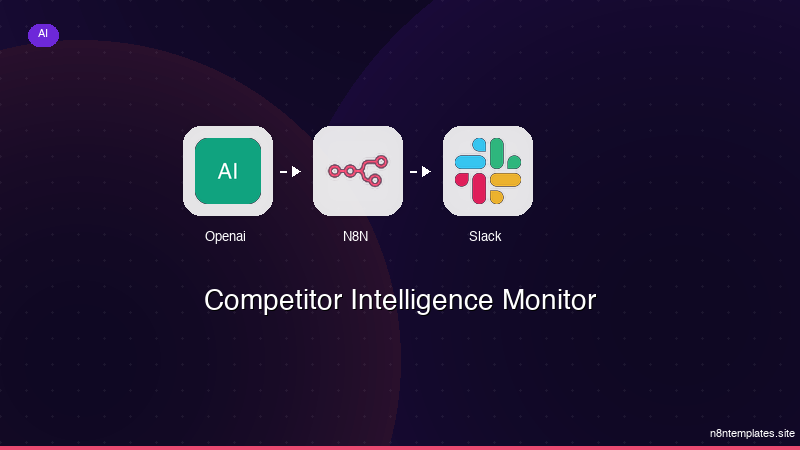
Nao comece do zero. O Competitor Intelligence Monitor e um workflow n8n pronto para instalar que faz exatamente isso — em minutos, nao horas.
Instalar por $59 →

