
How to Automate Slack Notifications from Any Source
Slack is where your team lives. So when something breaks, ships, or needs attention, Slack is where you want to know about it — immediately, automatically, and without someone manually checking a dash
Slack is where your team lives. So when something breaks, ships, or needs attention, Slack is where you want to know about it — immediately, automatically, and without someone manually checking a dashboard. The problem is that most tools have their own notification systems that don't talk to each other well. n8n solves this cleanly: one workflow engine that connects any source to Slack with full control over message format, routing, and logic.
Why Manual Slack Alerts Don't Scale
Manually pinging Slack works for a team of two. It falls apart the moment you have more than a handful of systems to monitor. You end up with:
- Someone forgetting to post an update after a deployment
- Critical errors sitting in logs no one checks
- Duplicate alerts from multiple people noticing the same issue
- Zero context in the message — just "it broke"
Automated notifications fix all of this. They're consistent, immediate, and can carry exactly the context your team needs to act — not just that something happened, but what, when, and where.
How n8n Connects Any Source to Slack
n8n works as a middleware layer between your data sources and Slack. The core pattern is simple: trigger → process → notify. The power is in how flexible each step is.
For triggers, n8n supports:
- Webhooks — any system that can send an HTTP POST (GitHub, Stripe, your own API) can trigger a workflow instantly
- Scheduled polling — check a database, API, or file on a cron schedule and notify when conditions are met
- Native integrations — direct connections to HubSpot, Pipedrive, Airtable, Google Sheets, and 400+ other tools
- Database queries — watch for new rows, failed records, or threshold breaches in PostgreSQL, MySQL, or MongoDB
The processing step is where n8n earns its keep. You can filter events, format data, fetch additional context from other APIs, and build conditional logic — all before the message hits Slack. This means your team gets actionable alerts, not raw JSON dumps.
Building a Slack Notification Workflow in n8n
Here's how a practical workflow is structured. This example sends a Slack alert whenever a new high-value deal is added to your CRM:
- Trigger node — HubSpot trigger watching for new deals, or a webhook from Pipedrive
- IF node — filter for deals above your threshold (e.g., amount > $10,000)
- HTTP Request node — optionally fetch the sales rep's name from your HR tool or Slack user list
- Slack node — send a formatted message to #sales-alerts with deal name, amount, company, owner, and a direct link
The Slack node in n8n supports both simple text and full Block Kit formatting — buttons, sections, context blocks. You can send to channels, DMs, or threads. You can also update existing messages instead of posting new ones, which is useful for status updates on long-running processes.
For error monitoring, the pattern shifts slightly: a scheduled workflow queries your error logs or monitoring API every few minutes, checks for new failures, deduplicates against a simple state store (a Google Sheet or Airtable table works fine), and fires a Slack alert only for new issues. One alert per incident, with a direct link to the relevant log or dashboard.
Common Use Cases Worth Automating
These are the workflows that teams build first because they have the clearest ROI:
- Payment failures — trigger from Stripe webhooks, route to #billing-alerts with customer name, amount, and retry status
- New signups above a threshold — watch your database for enterprise-tier signups and ping the sales channel immediately
- Deploy notifications — GitHub Actions webhook triggers an n8n workflow that posts deploy status with commit author and diff link
- Support ticket escalations — Zendesk or Intercom triggers when a ticket crosses a priority threshold or has been open too long
- Inventory alerts — scheduled check against your e-commerce database, alert when SKUs drop below safety stock
- Social mentions — monitor brand mentions via API and route to a dedicated Slack channel with sentiment context
Each of these follows the same structural pattern in n8n. Once you've built one, you've essentially built the template for all of them.
Skip the Setup — Use a Pre-Built Workflow
Building from scratch is fine if you enjoy it. If you'd rather deploy something that already works, there are ready-made n8n templates covering Slack integrations for CRM updates, payment events, form submissions, and more. Download, import into your n8n instance, add your credentials, and it's live in minutes.
Slack notifications are low-hanging fruit in any automation stack. The setup cost is minimal, the payoff is immediate, and every alert you automate is one less context-switch for your team. Start with the workflow that would save the most time today — chances are it's already been built.
Ja construimos isso pra voce
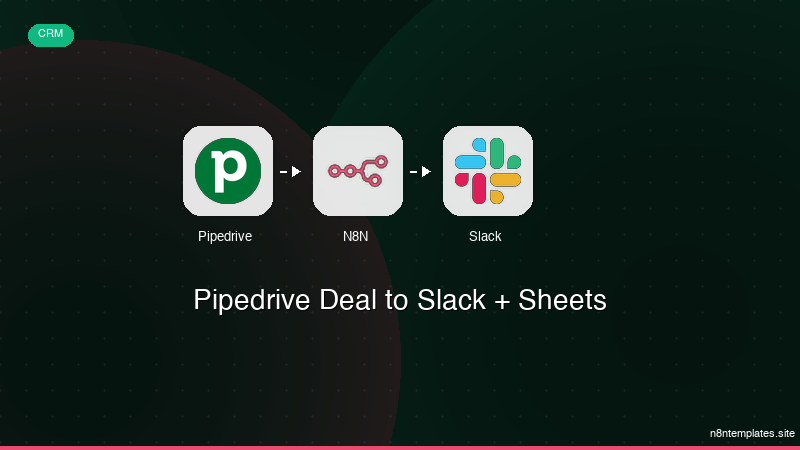
Nao comece do zero. O Pipedrive Deal to Slack + Sheets e um workflow n8n pronto para instalar que faz exatamente isso — em minutos, nao horas.
Instalar por $29 →

