
Connect HubSpot to Slack with n8n in 15 Minutes
Manually copying HubSpot deal updates into Slack is the kind of work that sounds small until you're doing it twenty times a day. n8n eliminates that entirely. In about 15 minutes you can have a workfl
Manually copying HubSpot deal updates into Slack is the kind of work that sounds small until you're doing it twenty times a day. n8n eliminates that entirely. In about 15 minutes you can have a workflow that watches HubSpot for specific events and fires a formatted Slack message automatically — no code, no infrastructure, no ongoing maintenance.
What You'll Need Before You Start
This setup assumes you already have accounts on both platforms and a running n8n instance (self-hosted or cloud). Before opening the canvas, grab these:
- A HubSpot private app token with
crm.objects.deals.readandcrm.objects.contacts.readscopes - A Slack bot token (OAuth) with
chat:writepermission added to the target channel - Your n8n instance URL if you're using webhooks — HubSpot needs to reach it
If your n8n is running locally without a public URL, use a tunnel like ngrok just for testing. In production, deploy to a VPS or use n8n Cloud.
Building the Workflow Step by Step
Open a new workflow in n8n. The core chain is three nodes: a trigger that listens to HubSpot, an optional transformation step, and a Slack action that sends the message.
- Trigger — HubSpot: Add the HubSpot Trigger node. Set the event to "deal.propertyChange" and watch the
dealstageproperty. This fires every time a deal moves through your pipeline. Authenticate with your private app token. - Optional — IF node: If you only want notifications for specific stages (e.g., "closedwon"), add an IF node. Check
{{ $json["propertyValue"] }}equals your target stage ID. Run this flow for all stages first and grab the exact stage IDs from the test output. - Action — Slack: Add the Slack node, set operation to "Send Message", pick your channel, and write the message body. Use expressions to pull HubSpot data inline:
Deal *{{ $json["objectId"] }}* moved to {{ $json["propertyValue"] }}. You can enrich this with a second HubSpot node that fetches full deal details by ID before the Slack step.
Save, activate, and move a deal in HubSpot. The notification should land in Slack within seconds.
Common Patterns Worth Adding
The basic trigger-to-Slack chain works, but most teams extend it once they see it running. A few patterns that add real value:
- Enrich with contact data: Add a HubSpot node after the trigger to fetch the associated contact using the deal's
associations.contactsfield. Include the contact's name and company in the Slack message so the team has full context without clicking through to CRM. - Route by deal owner: Use a Switch node to check
hubspot_owner_idand send to different Slack channels or DM the rep directly instead of broadcasting to the whole team. - Add a Google Sheets log: Run the Slack node and a Google Sheets append node in parallel (use a Merge node set to "Pass-through"). You get a persistent log of every pipeline event without any extra effort.
- Error handling: Wrap the Slack node with a Try/Catch equivalent — enable "Continue on fail" and add a fallback Slack message to a
#n8n-errorschannel so broken workflows don't silently drop notifications.
Troubleshooting the Most Common Issues
Most failures fall into one of three categories:
- Webhook not receiving events: HubSpot requires a publicly accessible URL and will verify it with a GET request before sending POSTs. Check that your n8n webhook endpoint responds to GET with a 200. If you're getting 401s, verify the webhook secret HubSpot sends matches what your n8n node expects.
- Slack message not sending: The most common cause is a missing channel invite. Your Slack bot must be explicitly added to the channel with
/invite @yourbot— having the token isn't enough. - HubSpot authentication errors: Private app tokens expire if rotated in HubSpot settings. If you see 401s from the HubSpot nodes, regenerate the token and update the credential in n8n. The credential is cached, so toggle the workflow off and on after updating.
Once this workflow is running cleanly, it becomes a foundation. You can clone it and swap the trigger for contact creation, task assignment, or form submissions — the Slack output pattern stays the same. If you want to skip the setup entirely and go straight to a tested, production-ready version, check the ready-made n8n templates — there are pre-built workflows for the most common HubSpot-to-Slack patterns, including deal stage alerts, contact assignments, and pipeline reporting.
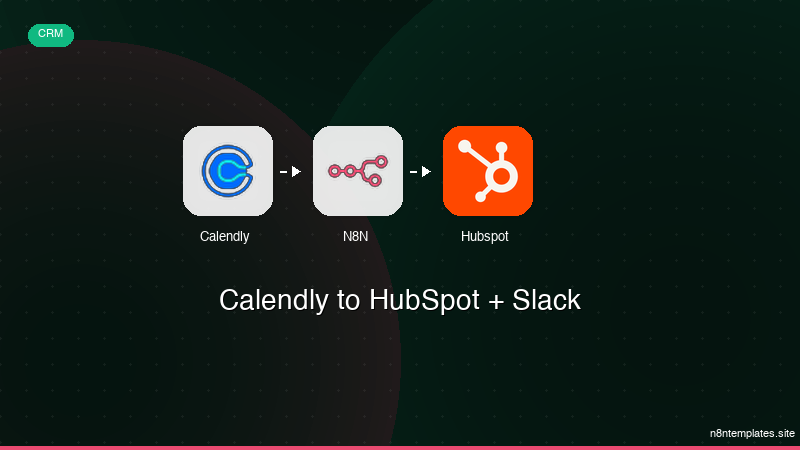
Ja construimos isso pra voce
Nao comece do zero. O Calendly to HubSpot + Slack e um workflow n8n pronto para instalar que faz exatamente isso — em minutos, nao horas.
Instalar por $49 →

