
Build an Automated Competitor Price Monitor with n8n
Manually checking competitor prices is a losing strategy. By the time you've gone through ten product pages, updated your spreadsheet, and forwarded the data to whoever needs it, the market has alread

Manually checking competitor prices is a losing strategy. By the time you've gone through ten product pages, updated your spreadsheet, and forwarded the data to whoever needs it, the market has already moved. If you're running an e-commerce operation, a SaaS product, or any business where pricing is a lever, you need this process running automatically — and n8n makes it straightforward to build without gluing together a dozen services by hand.
What You're Actually Building
The goal is a workflow that runs on a schedule, visits competitor product pages or APIs, extracts current prices, compares them against your own, and alerts you when a meaningful change happens. No manual checks. No spreadsheet updates. Just signal when something shifts.
The core components you'll use in n8n:
- Schedule Trigger — runs the workflow every hour, every morning, or at whatever cadence your market demands
- HTTP Request node — fetches competitor pages or hits their public APIs
- HTML Extract or JSON Parse — pulls the price field out of the response
- Google Sheets or Airtable node — stores price history so you can track trends over time
- IF node — compares current price to previous price and routes based on the delta
- Slack, Email, or Telegram node — sends the alert to whoever needs to act on it
Setting Up the Data Collection Layer
Start with your target list. Create a Google Sheet with columns for competitor name, product URL, current price, previous price, and last checked timestamp. This becomes your source of truth and your history log.
In n8n, use a Google Sheets node in read mode to load the list, then pass each row into a loop using the Split In Batches node. For each competitor, fire an HTTP Request to their product URL. If they expose a public API or have structured data in the page (schema.org markup is common on e-commerce sites), parsing is trivial — use a JSON node to extract the price field directly.
If the price is buried in HTML, use n8n's HTML Extract node with a CSS selector targeting the price element. This requires some upfront inspection with browser dev tools, but once the selector is locked in, it's reliable as long as the competitor doesn't redesign their page. When they do, you'll know — the workflow will error out, which is itself useful information.
Comparing Prices and Triggering Alerts
Once you have the current price, compare it against what you stored in the previous run. An IF node handles this cleanly: if the price dropped by more than your threshold (say, 5%), route to the alert branch. If it's unchanged or within noise range, route to the silent update branch that just logs the new value.
What you alert on matters more than how you alert. Consider three distinct cases:
- Price drop — competitor is undercutting you, may require a response
- Price increase — opportunity to capture demand they're pricing out
- Product unavailable — HTTP 404 or missing price element, which might signal a stockout or delisting
Route each case to a different Slack channel or label in your email client. Mixing them together makes the alerts easy to ignore. Keeping them separate means whoever owns pricing can act on the right signal without wading through noise.
Handling Anti-Scraping and Rate Limits
Most retailers tolerate periodic, polite requests. A few will block you. The practical mitigations inside n8n are straightforward:
- Add a Wait node between HTTP requests — even a 2–3 second delay reduces the chance of triggering rate limits
- Set a realistic User-Agent header in the HTTP Request node to look like a normal browser request
- If a competitor blocks direct scraping, check whether they publish pricing through a public API, RSS feed, or sitemap — many do
- For high-value targets that actively block scrapers, consider a residential proxy service — n8n passes through whatever HTTP settings you configure, so this is a configuration change, not a rebuild
If you're monitoring marketplaces like Amazon or eBay, use their official product advertising or marketplace APIs. They're rate-limited but reliable, and you won't risk account issues by scraping the front end.
Storing History and Spotting Trends
A single price check tells you the current state. A week of price history tells you whether a competitor is running a promotional cycle, testing new price points, or systematically repositioning. Store every data point, not just changes.
In your Google Sheet, append a new row on each run rather than overwriting the previous value. This gives you a time series you can pivot, chart, or feed into a separate analysis workflow. If you want more structure, Airtable handles this well — n8n has a native Airtable node, and you can build views that surface only the price movements that matter.
Once you have two or three weeks of data, patterns emerge: which competitors reprice on weekends, which ones match your moves within 48 hours, which ones haven't touched their pricing in months. That context makes your own pricing decisions faster and better-grounded than anything you'd get from a manual review.
Building this from scratch takes a few hours of configuration, but the fundamentals are the same across industries. If you'd rather skip the setup work and start with a working baseline, there are ready-made n8n templates that cover competitor monitoring, price alerting, and data logging — pre-wired and documented so you can adapt them to your specific targets without starting from zero.
Competitor pricing is one of those operational signals that's easy to ignore until it costs you. Automating it means you stop ignoring it — not because you're more disciplined, but because the system handles it without you.
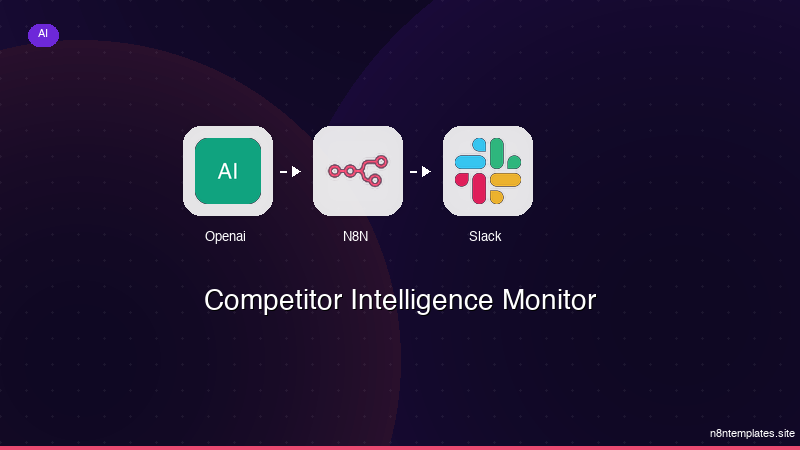
Ja construimos isso pra voce
Nao comece do zero. O Competitor Intelligence Monitor e um workflow n8n pronto para instalar que faz exatamente isso — em minutos, nao horas.
Instalar por $59 →

