
Build an AI Customer Support Bot with n8n
Customer support is one of the highest-leverage places to deploy automation. The pattern is always the same: a user asks a question, your team looks up an answer, writes a reply, and moves on. That lo
Customer support is one of the highest-leverage places to deploy automation. The pattern is always the same: a user asks a question, your team looks up an answer, writes a reply, and moves on. That loop runs hundreds of times a day. With n8n and a language model, you can automate the entire thing — including escalation logic — without writing a backend from scratch.
What You're Actually Building
A functional AI support bot has three moving parts: a trigger that captures the incoming message, a lookup layer that fetches relevant context, and an LLM that generates a response. In n8n, each of these maps to a node or a small chain of nodes.
- Trigger: Webhook node receiving messages from your chat widget, WhatsApp, Telegram, or email
- Context retrieval: HTTP Request to your knowledge base, a Google Sheets FAQ, or a vector store like Pinecone
- Response generation: OpenAI or Anthropic node with a system prompt scoped to your product
- Delivery: Reply back through the same channel, log the interaction, optionally route to a human
The key insight is that the LLM doesn't need to know everything — it needs to know what you give it in the context window. Your knowledge base is the intelligence. The model is the writer.
Setting Up the Workflow in n8n
Start with a Webhook node set to POST. This is your entry point for any incoming support message. From there, use a Set node to extract the message body and any session ID you want to track conversation history.
- Connect to an HTTP Request node pointing at your documentation or FAQ source — a Notion page, a Supabase table, or even a static JSON file works fine
- Pass the retrieved content plus the user message into the OpenAI Chat Model node as separate context blocks in the system prompt
- Add an IF node after the LLM response to check for phrases like "I don't know" or confidence thresholds — route those to a human handoff branch
- Use a Respond to Webhook node or an HTTP Request back to your chat platform to deliver the reply
For conversation memory, store the message history in a simple append-mode Google Sheet or Redis via the HTTP Request node. Pass the last 5 exchanges back into the system prompt on each turn. That's enough context for most support scenarios without blowing up your token budget.
The Escalation Logic That Makes It Production-Ready
A bot that only answers questions is half a solution. The part that actually reduces support load is a reliable escalation path — so users with complex problems don't get stuck in a loop with the bot.
- Define escalation triggers: explicit requests for a human, repeated questions with no resolution, billing or account security keywords
- On escalation, create a ticket in Zendesk, Linear, or a simple Airtable base via HTTP Request node
- Send a Slack or WhatsApp notification to the support channel with the conversation summary — let the LLM generate that summary in a separate node before escalating
- Reply to the user with a confirmation message and an expected response time
This escalation branch runs in parallel with normal resolution. You don't need to choose one or the other — route by condition and let both paths exist in the same workflow.
Tuning the System Prompt for Support Quality
Most weak AI support bots fail at the prompt level, not the tool level. A vague system prompt produces vague answers. Be specific about what the bot can and cannot do.
- Open with a strict scope: "You are a support agent for [Product]. Answer only questions about [specific domain]. Do not speculate about pricing, roadmap, or legal matters."
- Give it an explicit fallback: "If you cannot answer from the provided context, say so clearly and tell the user a human will follow up."
- Define tone in one sentence: "Be direct, skip filler phrases like 'Great question!', and keep replies under 150 words unless detail is required."
- Inject your FAQ or docs as a labeled block: "KNOWLEDGE BASE: [content]" — the label helps the model treat it as authoritative rather than conversational
Test the prompt against your 20 most common support tickets before going live. If the bot handles those correctly, it'll handle the long tail reasonably well.
Building this from scratch takes time, but the architecture is repeatable. If you want to skip the boilerplate, check out the ready-made n8n templates — there are pre-built workflows for AI support bots, escalation routing, and knowledge base integrations you can drop into your n8n instance and customize in an afternoon. The hard wiring is already done; you bring the system prompt and your data sources.
Ja construimos isso pra voce
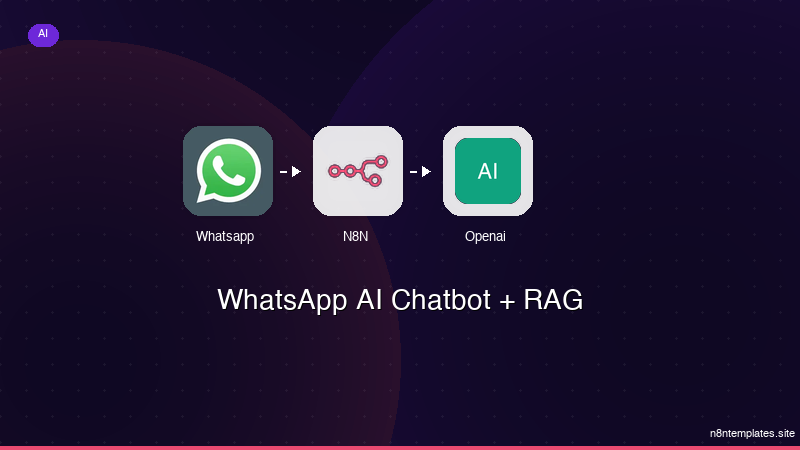
Nao comece do zero. O WhatsApp AI Chatbot + RAG e um workflow n8n pronto para instalar que faz exatamente isso — em minutos, nao horas.
Instalar por $59 →

