
Build a Daily Sales Report with n8n and HubSpot
If your sales team starts the day without knowing yesterday's numbers, you're already behind. A daily sales report from HubSpot shouldn't require someone to log in, filter deals, export a spreadsheet,

If your sales team starts the day without knowing yesterday's numbers, you're already behind. A daily sales report from HubSpot shouldn't require someone to log in, filter deals, export a spreadsheet, and paste it into Slack every morning. That's a manual task disguised as a process. n8n lets you eliminate it entirely — automated, scheduled, and delivered before anyone opens their laptop.
What the Workflow Actually Does
The goal is simple: every morning at a fixed time, pull the previous day's closed deals from HubSpot, calculate the totals, and send a formatted summary to your team's Slack channel or email inbox. No human in the loop. No room for someone to forget.
The workflow covers four steps:
- Trigger on a daily schedule (e.g., 07:00 AM)
- Query HubSpot CRM for deals closed in the last 24 hours
- Aggregate the data — count, total value, top deal, owner breakdown
- Send a formatted message to Slack, email, or both
Each step is a node in n8n. The logic lives in the workflow, not in someone's head.
Setting Up the HubSpot Connection
Before building anything, you need a HubSpot private app token. Go to HubSpot Settings → Integrations → Private Apps, create an app, and grant it read access to CRM objects (deals, contacts). Copy the access token — you'll add it to n8n as a credential.
In n8n, add a new credential under HubSpot API and paste the token. Once connected, the HubSpot node can query deals using filters. For a daily report, you'll filter by closedate using a date range that covers yesterday — from midnight to 23:59.
The key filter properties to pull per deal:
dealname— deal titleamount— deal value in your base currencyclosedate— confirmation it fell within the target windowhubspot_owner_id— to attribute wins to repsdealstage— to confirm it's actually closed/won
Use the Search Deals endpoint with a filter group targeting dealstage equal to your "Closed Won" stage ID. You can find that ID in HubSpot under Pipeline settings.
Aggregating and Formatting the Report
Raw deal data isn't a report. After the HubSpot node returns a list of deals, use a Function node to process the array. This is where you calculate totals, rank by value, and build the output structure.
A minimal aggregation in JavaScript inside the Function node:
- Sum all
amountvalues for total revenue - Count the number of items for total deals closed
- Sort descending by amount to identify the top deal
- Group by
hubspot_owner_idto show per-rep performance
Once you have the aggregated object, build the message string. For Slack, use Block Kit formatting — it renders cleanly on mobile and desktop. For email, a simple HTML table works fine. Keep the message scannable: headline numbers at the top, deal list below, rep breakdown at the bottom.
If you'd rather skip building this from scratch, ready-made n8n templates include pre-built HubSpot reporting workflows you can import and adapt in minutes.
Scheduling, Error Handling, and Delivery
The Cron node in n8n handles scheduling. Set it to fire at your preferred time in UTC — remember to account for your team's timezone. A 07:00 local trigger might be 11:00 or 12:00 UTC depending on where your team sits.
For delivery, connect either a Slack node (using a bot token and target channel ID) or a Send Email node using SMTP or a transactional email provider like SendGrid. Both are straightforward — the only configuration is the destination and the message body you built in the Function node.
Error handling matters here because this runs unattended. Add an Error Trigger workflow that catches failures and sends a fallback notification — even a plain message saying "Daily report failed — check n8n" is better than silence. Common failure points:
- HubSpot token expired or revoked
- Date filter returning zero results (legitimate or a query bug)
- Slack bot missing channel permissions
- n8n instance unreachable at trigger time (if self-hosted)
Test the workflow manually before activating the schedule. Run it against a real day with known deals in HubSpot and verify the numbers match what you'd see in the CRM dashboard. Once confirmed, activate and let it run.
Where to Take It Next
A basic daily report is the foundation. Once it's running reliably, the natural extensions are: weekly rollups sent every Monday, goal-tracking that compares yesterday's revenue against a monthly target, and pipeline reports that pull open deals by stage instead of just closed ones. Each extension is an additional node or a modified filter — the architecture doesn't change, only the query and the output format.
Automating daily sales reporting with n8n and HubSpot removes a recurring manual task and gives your team consistent, timely data without anyone having to produce it. The setup takes a few hours the first time — and then it runs every day without intervention.
Ja construimos isso pra voce
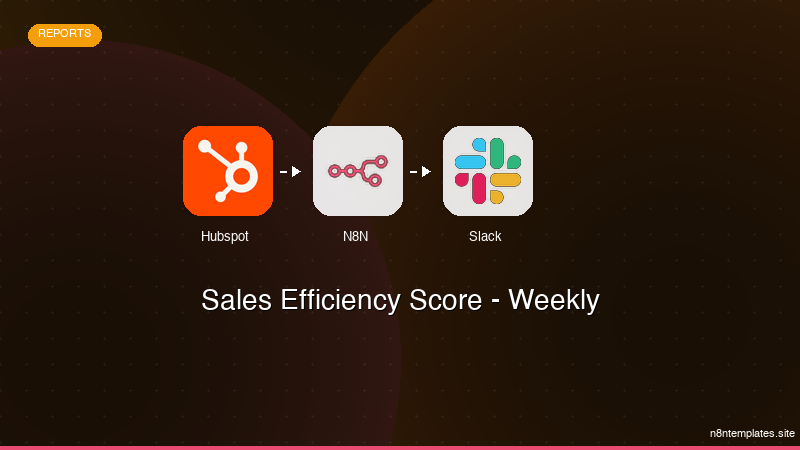
Nao comece do zero. O Sales Efficiency Score - Weekly e um workflow n8n pronto para instalar que faz exatamente isso — em minutos, nao horas.
Instalar por $59 →

