
Automate Your Invoicing with n8n and Stripe
Manual invoicing is one of those tasks that seems simple until you're doing it for the hundredth time. Copy a payment from Stripe, open your invoicing tool, fill in the fields, send the email, update
Manual invoicing is one of those tasks that seems simple until you're doing it for the hundredth time. Copy a payment from Stripe, open your invoicing tool, fill in the fields, send the email, update your spreadsheet. It's maybe ten minutes per transaction — until you have 50 transactions a week. At that point, you're losing hours to a problem that should have been automated months ago.
n8n connects Stripe to the rest of your stack without a single line of custom server code. Here's how to build a workflow that handles invoice generation the moment a payment lands.
How the Trigger Works
The entry point is Stripe's webhook system. When a charge completes or a subscription renews, Stripe fires a payment_intent.succeeded or invoice.paid event to any endpoint you configure. In n8n, you drop in a Webhook node, copy the URL it generates, and paste it into your Stripe dashboard under Developers → Webhooks.
From that moment on, every successful payment hits your workflow automatically. No polling. No cron jobs checking if something happened. The event arrives, and execution starts within seconds.
A few things worth verifying in your Stripe webhook setup:
- Select only the events you actually need —
invoice.paidfor subscriptions,payment_intent.succeededfor one-time charges - Enable webhook signature verification in n8n's Webhook node so you're not processing spoofed requests
- Use Stripe's "Send test webhook" button to confirm the connection before going live
Extracting and Transforming Payment Data
Stripe's event payload is detailed but nested. You'll need a Set node or a Function node to pull out what matters: customer email, amount paid, currency, payment date, product description, and the charge ID you'll use as the invoice reference number.
The amount from Stripe arrives in the smallest currency unit — cents for USD, so $49.00 comes in as 4900. Divide by 100 before it hits your invoice template. Currency formatting and date localization are also worth handling at this stage rather than patching them later downstream.
If you're pulling customer billing details (name, address) for the invoice, add a Stripe node in "Get Customer" mode using the customer ID from the event. That gives you the full record without storing redundant data in your own database.
Generating and Delivering the Invoice
Once you have clean data, you have a few solid options for the actual invoice document:
- Stripe's built-in invoices: If you're on a subscription model, Stripe can generate and host the invoice PDF automatically. Your workflow just needs to retrieve the hosted invoice URL and include it in your confirmation email.
- HTML email as invoice: For simple transactions, an HTML email with a clean table of line items is often enough. Use n8n's Gmail or SMTP node with a template that renders the payment details.
- PDF generation service: For formal invoices with your logo and legal fields, route the data to a PDF API (Doppio, PDFShift, or similar) and attach the result to your outgoing email.
- Google Docs or Notion: If you need invoices in a specific format for accounting, generate a document from a template, fill in the variables, export as PDF, and send.
The delivery step is straightforward — Gmail node, Outlook node, or SMTP — but make sure your email includes the payment amount, date, a reference number, and a way for the customer to reach you if something is wrong. That last part cuts support tickets significantly.
Logging and Downstream Automation
An invoice workflow that only sends emails is half-built. The payment event should also update your records wherever you track revenue.
Common downstream steps worth adding to the same workflow:
- Append a row to a Google Sheet with the transaction details for monthly reconciliation
- Create or update a contact in your CRM (HubSpot, Pipedrive) with the purchase recorded
- Post a message to a Slack channel so your team sees revenue events in real time
- Trigger a follow-up sequence in your email tool if the product warrants onboarding
- Log the charge ID and invoice URL to Airtable or Notion for your own records
None of this requires separate workflows. n8n's branching lets you run all of these in parallel from the same trigger, so a single Stripe event fans out into five simultaneous actions with no added latency.
Skip the Build Time
If you'd rather start from a working base than wire this up from scratch, there are ready-made n8n templates that cover the Stripe invoicing flow with the nodes already configured, the data transformations in place, and the branching logic built out. Import, connect your credentials, and you're running in under an hour.
The invoicing workflow is one of those automations that pays for itself immediately — not because it's complex, but because it touches every transaction you process. Get it right once and you stop thinking about it entirely. That's the whole point.
Ja construimos isso pra voce
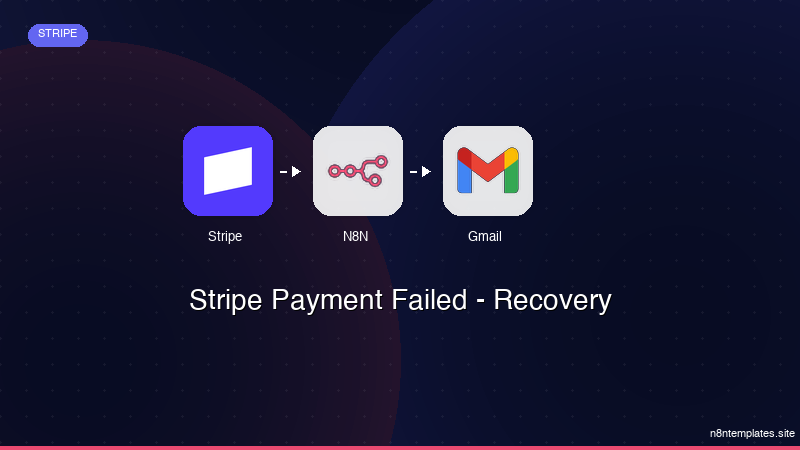
Nao comece do zero. O Stripe Payment Failed - Recovery e um workflow n8n pronto para instalar que faz exatamente isso — em minutos, nao horas.
Instalar por $49 →

