
Automate Team Notifications for New Deals in Pipedrive
When a new deal lands in Pipedrive, the clock starts ticking. Sales reps need to follow up fast. Account managers need context. Managers need visibility. Without automation, someone has to manually pi

When a new deal lands in Pipedrive, the clock starts ticking. Sales reps need to follow up fast. Account managers need context. Managers need visibility. Without automation, someone has to manually ping Slack, send an email, or update a shared spreadsheet — and that rarely happens consistently. The fix is straightforward: wire Pipedrive to your communication stack using n8n, and let the workflow handle the notifications automatically.
Why Manual Notifications Break Down
Sales teams operate under pressure. When a rep closes a qualified lead and moves it to the pipeline, the last thing on their mind is sending a Slack message to the account team or logging the deal in a shared channel. The result is predictable:
- Account managers find out about new deals days late
- Follow-up tasks fall through the cracks because nobody owns the handoff
- Managers lack real-time pipeline visibility without pulling a manual report
- Cross-functional teams — legal, finance, fulfillment — aren't looped in at the right moment
The problem isn't effort. It's that humans are unreliable at repetitive, low-stakes tasks. Automation isn't a workaround — it's the correct solution.
How the n8n Workflow Works
n8n connects to Pipedrive via its official API and listens for deal events using a webhook or polling trigger. The moment a new deal is created — or moves into a specific stage — the workflow fires and routes that information wherever it needs to go.
A typical setup for Pipedrive deal notifications includes:
- Trigger: Pipedrive webhook fires on new deal creation or stage change
- Enrichment: Pull additional deal and contact data from Pipedrive using the deal ID
- Routing: Conditional logic sends different messages based on deal value, stage, owner, or pipeline
- Notification: Post to Slack with deal name, value, owner, and a direct link to the deal
- Secondary actions: Send an email to the account manager, create a task in ClickUp or Notion, or log to a Google Sheet
The entire chain runs in under two seconds. No human in the loop, no missed handoffs.
What You Can Customize
The power of n8n over point-to-point integrations like Zapier is flexibility. You're not locked into a fixed trigger-action pair. With a proper workflow structure, you can:
- Send different Slack messages to different channels based on deal value thresholds (e.g., deals over $10k go to a dedicated #enterprise-deals channel)
- Notify only the relevant account manager instead of broadcasting to the entire team
- Add a delay and send a follow-up reminder if no activity is logged on the deal within 24 hours
- Trigger different flows for different pipelines — inbound deals vs. outbound, SMB vs. enterprise
- Attach formatted deal summaries using Pipedrive custom fields
This level of routing logic would require multiple separate Zaps in other tools — and at a significantly higher monthly cost. In n8n, it's a single workflow with branching nodes.
Getting It Running Without Building From Scratch
Setting up the Pipedrive webhook, handling the authentication, mapping the right fields, and structuring the conditional logic takes time if you're doing it from scratch. The Pipedrive API is well-documented, but connecting it correctly — especially when you want multi-channel notifications with custom formatting — involves a non-trivial amount of node configuration.
If you want to skip the setup and get straight to running the workflow, ready-made n8n templates are built for exactly this. Import the workflow, plug in your Pipedrive API key and Slack webhook, and the automation is live in minutes.
Whether you build it or start from a template, the key variables to configure are:
- Pipedrive API token (found under Settings → Personal Preferences → API)
- The specific pipeline or stage you want to monitor
- Slack webhook URL for each target channel
- Deal fields to include in the notification (title, value, owner, close date)
- Any conditional filters — minimum deal value, specific owners, pipeline type
Once configured, the workflow runs continuously in the background. No maintenance required unless Pipedrive changes their API or you restructure your pipeline stages.
Automating Pipedrive deal notifications is one of the highest-leverage workflows a sales operation can implement. The setup cost is low, the maintenance is near-zero, and the payoff — consistent, real-time visibility across the team — compounds every day the pipeline is active. If your team is still relying on manual pings to coordinate new deals, this is the first automation to put in place.
Ja construimos isso pra voce
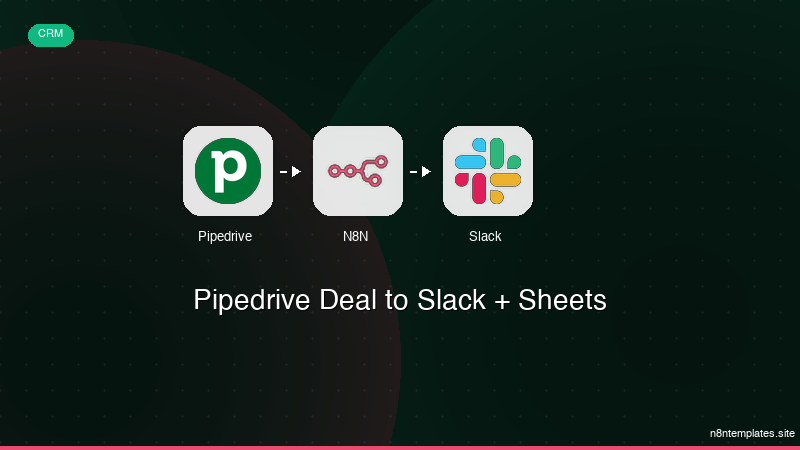
Nao comece do zero. O Pipedrive Deal to Slack + Sheets e um workflow n8n pronto para instalar que faz exatamente isso — em minutos, nao horas.
Instalar por $29 →

