
Automate LinkedIn Lead Capture with n8n Webhooks
LinkedIn is where B2B deals start. Every form fill, connection request, or message is a signal — but most businesses let those signals die in a notification email nobody acts on. If you're running out

LinkedIn is where B2B deals start. Every form fill, connection request, or message is a signal — but most businesses let those signals die in a notification email nobody acts on. If you're running outbound sales or lead gen at any volume, manually copying LinkedIn leads into your CRM is the kind of work that kills momentum. n8n webhooks eliminate that gap entirely, turning LinkedIn activity into automated CRM entries, Slack alerts, and follow-up sequences without touching a single row in a spreadsheet.
How the LinkedIn Lead Capture Flow Works
The core architecture is simple: LinkedIn fires an event, a webhook receives it, n8n processes and routes the data. The challenge is that LinkedIn's native API access is tightly restricted for most accounts. The practical path most operators use combines one of three sources:
- LinkedIn Lead Gen Forms — if you run LinkedIn Ads, lead gen form submissions can be routed through Zapier or a middleware that forwards the payload to your n8n webhook URL.
- Third-party enrichment tools — tools like Phantombuster, Clay, or Dux-Soup can export lead data via webhook or CSV drop, which n8n picks up automatically.
- Manual webhook trigger — a sales rep hits a bookmarklet or Chrome extension that posts structured LinkedIn profile data to an n8n webhook endpoint while browsing a profile.
Each method has tradeoffs, but all of them converge on the same n8n workflow: a Webhook node receives the payload, a Set or Code node normalizes the fields, and downstream nodes push data wherever it needs to go.
Building the n8n Webhook Node
Setting up the receiving end in n8n takes about five minutes. Create a new workflow, add a Webhook node, set the method to POST, and copy the generated URL. That URL is your inbound endpoint — anything that hits it with a JSON body will trigger the workflow.
The fields you'll typically receive from a LinkedIn lead source look like this:
firstName,lastName,emailcompany,jobTitle,linkedinUrlmessageorformAnswersif from a lead gen form- Timestamp and source metadata
Use a Set node immediately after the Webhook to normalize field names into your standard schema. This matters because different sources use different key names — LinkedIn Lead Gen Forms call it firstName, Phantombuster might export it as first_name. Normalize once, and every downstream node works the same regardless of source.
Routing Leads Into Your CRM and Notification Channels
Once the data is clean, n8n's real power kicks in. A single webhook can fan out to multiple destinations simultaneously using parallel branches:
- HubSpot or Pipedrive — use the native n8n CRM nodes to create or update a contact. Add logic to check if the contact already exists before creating a duplicate.
- Google Sheets — for teams not on a CRM yet, a Sheets node appends a new row with every lead. Not elegant, but it works and costs nothing.
- Slack — a Slack node posts a formatted message to your #leads channel so the sales team sees new leads in real time without checking a dashboard.
- Email sequence trigger — if you use ActiveCampaign, Mailchimp, or any email tool with an API, add a contact to a sequence automatically on capture.
The branching pattern in n8n is straightforward: after your Set node, add multiple nodes in parallel. Each branch runs independently, so a failure in the Slack notification doesn't block the CRM write. Use error handling on each branch separately if uptime matters.
Filtering, Deduplication, and Lead Scoring
Raw webhook data is noisy. Before anything hits your CRM, add a Filter node to drop leads that don't meet basic criteria — missing email, wrong country, job titles outside your ICP. This keeps your CRM clean and your sales team focused.
Deduplication is the other common pain point. A simple approach: after the Webhook and Set nodes, query your CRM for an existing contact with the same email. If found, update the record instead of creating a new one. n8n's IF node handles this branch cleanly.
For lead scoring, a Code node lets you write a short JavaScript function that assigns a score based on job title, company size, or any field in the payload. Pass that score as a property to the CRM so your team can sort leads by priority from the moment they land.
- Filter: drop incomplete or out-of-ICP leads before they touch the CRM
- Deduplicate: query before create — always
- Score: compute in a Code node, pass as a CRM field
- Log everything: write raw payloads to a Sheets tab or database for auditing
If you'd rather skip the build-from-scratch phase, ready-made n8n templates cover the most common LinkedIn lead capture patterns — including CRM routing, Slack alerts, and deduplication logic — pre-wired and ready to connect to your accounts.
Automating LinkedIn lead capture with n8n is one of those workflows that pays for the setup time within the first week. The webhook architecture is reliable, the integrations are straightforward, and once it's running, every lead that enters your funnel is already in your CRM before anyone opens their laptop. The manual copy-paste version of this process should not exist in any operation running at scale.
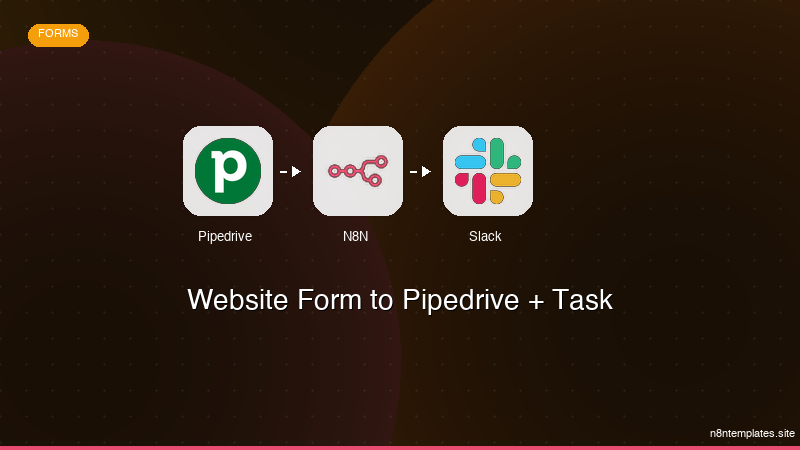
Ja construimos isso pra voce
Nao comece do zero. O Website Form to Pipedrive + Task e um workflow n8n pronto para instalar que faz exatamente isso — em minutos, nao horas.
Instalar por $29 →

