
Automate HR Onboarding Processes with n8n
HR onboarding is one of those processes that looks simple on paper but turns into a coordination nightmare at scale. New hire forms, account provisioning, welcome emails, manager notifications, docume
HR onboarding is one of those processes that looks simple on paper but turns into a coordination nightmare at scale. New hire forms, account provisioning, welcome emails, manager notifications, document collection — each step involves a different tool, a different person, and a different way for something to fall through the cracks. n8n fixes this by letting you wire all those systems together into a single automated workflow that runs without anyone babysitting it.
What a Real Onboarding Workflow Looks Like
Before automating, map the actual handoffs. A typical onboarding sequence touches at least five systems: your HRIS (BambooHR, Workday, or a simple spreadsheet), your identity provider (Google Workspace, Okta, Azure AD), your project management tool (ClickUp, Notion, Asana), Slack or Teams, and whatever you use for document signing (DocuSign, PandaDoc). The problem isn't that these tools don't talk to each other — most have APIs. The problem is that someone has to manually trigger each step, in order, every single time a person joins.
With n8n, a single trigger node — a webhook from your HRIS, a new row in a Google Sheet, or a form submission — kicks off the entire chain automatically.
Core Nodes to Build the Workflow
Here's what a production-grade n8n onboarding workflow typically uses:
- Trigger: Webhook or HTTP Request node listening for a new hire event from your HRIS, or a scheduled Google Sheets polling node if your HR team tracks hires in a spreadsheet.
- Google Workspace / Microsoft 365 node: Create the employee's email account, set up calendar access, and add them to the relevant Groups or distribution lists.
- Slack node: Post a welcome message to
#generalor a dedicated#new-hireschannel. Optionally, DM the hiring manager with a checklist. - ClickUp or Asana node: Create a task list for the IT team to provision hardware, set up VPN, and handle access requests — all pre-populated with the new hire's details.
- Gmail or SendGrid node: Send a personalized welcome email to the new hire with login instructions, links to the employee handbook, and their first-week schedule.
- IF node: Branch the workflow based on role, department, or location. A remote engineer gets different tooling than an on-site sales rep.
Handling the Edge Cases That Break Manual Processes
Manual onboarding fails at the edges: the hire that starts the same day the HR manager is out sick, the contractor who needs a different access level, the international hire who needs compliance documentation. These are exactly the cases where automation pays for itself.
In n8n, you handle these with conditional logic and error handling built directly into the workflow:
- Use Switch nodes to route different employment types (full-time, contractor, intern) to different provisioning branches.
- Add a Wait node to pause the workflow until a document is signed before provisioning system access — no more giving someone a Google account before their NDA is back.
- Set up Error Trigger workflows that fire a Slack alert to HR if any step fails, so nothing silently breaks.
- Use Set nodes to normalize data from your HRIS before it hits downstream APIs — because your HR tool will inevitably format dates and names differently than your identity provider expects.
Deployment and Maintenance
Self-hosted n8n on a small VPS (2GB RAM is enough) handles this cleanly. Docker Compose is the standard setup. You get persistent workflows, credential management, and execution logs out of the box. For most HR teams, a single workflow handles the happy path in under 30 seconds end-to-end — faster than the average IT ticket response time.
Once the core workflow is live, the maintenance burden is low. Credentials rotate, APIs version, and the occasional node needs updating — but the logic itself rarely changes. The bigger return is what your HR and IT teams stop doing: no more copy-pasting hire details across five tools, no more "did anyone send the welcome email?" messages in Slack, no more access requests sitting in a queue for three days.
If you want to skip the build-from-scratch phase, there are ready-made n8n templates that cover the full onboarding sequence — including Google Workspace provisioning, Slack notifications, and task creation — so you can deploy a working workflow in an afternoon instead of spending a week wiring it together yourself.
The goal isn't to automate for the sake of it. It's to make sure every new hire gets the same experience, regardless of who's in the office that day, without burning anyone's time on repetitive data entry. That's a problem n8n solves well — and once it's running, you'll wonder how you managed it manually at all.
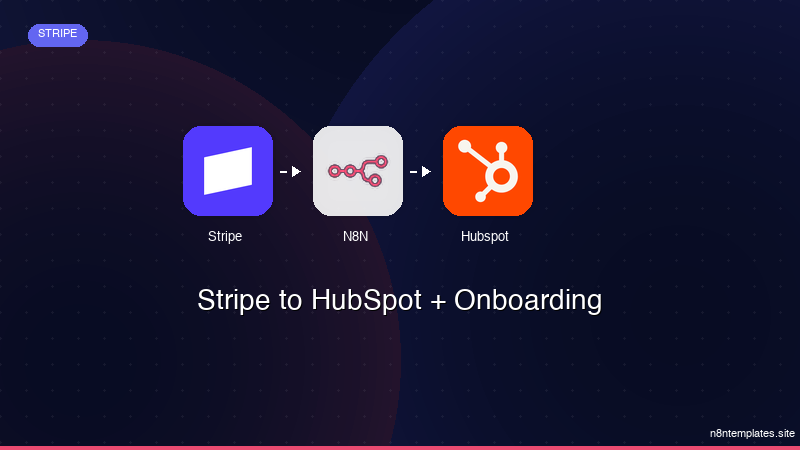
Ja construimos isso pra voce
Nao comece do zero. O Stripe to HubSpot + Onboarding e um workflow n8n pronto para instalar que faz exatamente isso — em minutos, nao horas.
Instalar por $49 →

