
Automate Email Follow-Ups with n8n
Email follow-ups are one of those tasks that sound simple until you're doing them manually for the fifth time this week. If a lead doesn't reply, you send another email. If they still don't reply, you
Email follow-ups are one of those tasks that sound simple until you're doing them manually for the fifth time this week. If a lead doesn't reply, you send another email. If they still don't reply, you wait a few days and try again. It's repetitive, time-sensitive, and easy to drop. n8n makes it automatable in under an hour.
Why Manual Follow-Ups Break Down
The problem isn't intent — it's execution. Manual follow-up systems rely on someone remembering to check a spreadsheet, a CRM flag, or a calendar reminder. That works until it doesn't: a busy week, a vacation, a team handoff. Leads go cold. Revenue leaks quietly.
The real cost isn't just lost sales. It's the mental overhead of tracking state across dozens or hundreds of contacts simultaneously. Automation doesn't just save time — it removes the failure mode entirely.
How n8n Handles Email Follow-Up Logic
n8n is a workflow automation tool that connects your apps via a visual interface. For email follow-ups, the typical architecture looks like this:
- Trigger: A new lead enters your CRM (HubSpot, Pipedrive, Airtable, a webhook — your choice).
- Initial email: n8n sends the first email via Gmail, SMTP, or any mail node immediately or after a defined delay.
- Wait node: n8n pauses the workflow for X days (3, 5, 7 — configurable).
- Check reply: The workflow queries your inbox or CRM to see if a reply came in. If yes, it stops. If no, it continues.
- Follow-up email: n8n sends the next message in the sequence with a different angle — question, resource, soft close.
- Repeat or exit: The loop continues for however many steps you define, then marks the lead as cold and optionally notifies your team.
The key insight: n8n's Wait node is not a cron job. It suspends the execution at the exact point in the workflow and resumes it after the delay — no polling, no state management in external systems.
Building the Workflow Step by Step
Here's the practical build path for a 3-touch sequence:
- Step 1 — Trigger: Use a CRM webhook or a scheduled trigger that polls for new contacts. Set a field like
follow_up_status = pendingas the entry condition. - Step 2 — Send email #1: Gmail node or SMTP. Pull contact name and company from the trigger payload to personalize the subject line.
- Step 3 — Wait 3 days: Add a Wait node set to 72 hours. Workflow suspends here.
- Step 4 — Check for reply: Query Gmail for threads from that contact's email address with a label or subject match. Use an IF node: replied → mark done and exit. Not replied → continue.
- Step 5 — Send email #2: Different subject line, shorter message, single question format works best here.
- Step 6 — Wait 5 days, check again, send #3: Final touch — low-friction, "closing the loop" framing.
- Step 7 — Update CRM: Set
follow_up_status = completedregardless of outcome so the workflow doesn't re-trigger.
Total nodes: roughly 12–15. Build time from scratch: 45–90 minutes depending on how much time you spend on the email copy.
Common Issues and How to Avoid Them
A few things trip people up when building this for the first time:
- Duplicate sends: Always update your CRM or a tracking field before the Wait node, not after. If the workflow crashes mid-execution and restarts, you don't want it re-sending the first email.
- Reply detection is fragile: Gmail's search API works well, but make sure you're searching by email address and a time window, not just subject line. Reply threads change subjects sometimes.
- Time zones: Don't send at 3am in the recipient's timezone. Use a Function node to check the hour before the send node, and re-queue if outside business hours.
- Unsubscribes: Add a check node at the start of each follow-up step to verify the contact hasn't opted out. Store unsubscribes in a simple Airtable or Google Sheet and query it before each send.
Skip the Build — Use a Template
If you'd rather start from a working workflow than wire up every node yourself, there are ready-made n8n templates built specifically for sequences like this. They come pre-configured with the wait logic, reply detection, CRM update steps, and error handling — you just swap in your credentials and adjust the copy.
Email follow-up automation is one of those things that pays for itself the first week. Once it's running, you stop losing deals to timing and start competing on the quality of your outreach — which is actually a variable you can control.
Ja construimos isso pra voce
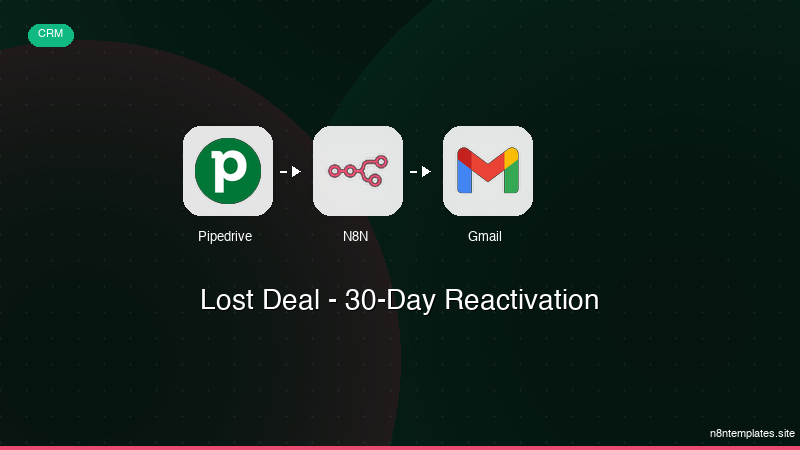
Nao comece do zero. O Lost Deal - 30-Day Reactivation e um workflow n8n pronto para instalar que faz exatamente isso — em minutos, nao horas.
Instalar por $49 →

