
Automate E-commerce Order Fulfillment with n8n
Manual order fulfillment is a bottleneck that scales badly. The moment your e-commerce store starts processing more than a handful of orders per day, the cracks show: delayed shipping notifications, i
Manual order fulfillment is a bottleneck that scales badly. The moment your e-commerce store starts processing more than a handful of orders per day, the cracks show: delayed shipping notifications, inventory mismatches, support tickets piling up because customers don't know where their package is. n8n fixes this by letting you wire together your store, warehouse, shipping carrier, and customer communication into a single automated pipeline — no glue code, no fragile Zapier chains.
What a Complete Fulfillment Workflow Looks Like
A production-ready n8n fulfillment workflow typically covers three phases: order ingestion, fulfillment triggering, and post-fulfillment communication. Each phase maps to a distinct set of nodes and API calls.
- Order ingestion: Webhook from Shopify, WooCommerce, or your payment processor fires the moment an order is confirmed.
- Inventory check: n8n queries your warehouse system (ShipStation, Linnworks, or a simple Google Sheet) to confirm stock availability.
- Fulfillment trigger: If stock is available, a fulfillment request goes out to your 3PL or internal warehouse via API. If not, a Slack alert fires and the order gets flagged for manual review.
- Tracking injection: Once the carrier generates a tracking number, n8n picks it up and writes it back to your store and CRM.
- Customer notification: Transactional email or SMS goes out automatically with the tracking link.
The whole thing runs without anyone touching it. Your team only sees exceptions — stockouts, carrier API failures, fraud flags — not the 95% of orders that go through cleanly.
Key Nodes You'll Use
n8n's node library covers most of what you need out of the box. Here's what a real fulfillment workflow leans on:
- Webhook node: Entry point for order events from Shopify, WooCommerce, or any platform with webhooks.
- HTTP Request node: Hits your 3PL API, shipping carrier API (EasyPost, ShipEngine), or any endpoint without a dedicated n8n node.
- IF / Switch nodes: Branches logic — in-stock vs. out-of-stock, domestic vs. international, standard vs. express shipping.
- Set node: Normalizes data between systems. Different platforms send order data in different shapes; this flattens it before it hits downstream nodes.
- Send Email / Twilio nodes: Customer-facing notifications. Use conditional formatting to personalize based on order content.
- Google Sheets or Airtable node: Lightweight inventory tracking if you're not on a full WMS yet.
You don't need all of these on day one. Start with the webhook, an HTTP request to your fulfillment provider, and a send-email node. Add branches and error handling once the happy path is solid.
Error Handling That Actually Works
Fulfillment workflows fail in predictable ways. The API times out. The carrier rejects the address. The 3PL returns a 429 because you're hammering their rate limit during a flash sale. n8n handles this with built-in retry logic and error workflows, but you need to configure it deliberately.
- Set retry on failure on every HTTP Request node that hits an external API. Three retries with exponential backoff covers most transient failures.
- Connect an Error Trigger node as a parallel workflow that catches anything that slips through. Route failures to a Slack channel with the order ID and error payload.
- Use Wait nodes for polling patterns — when a fulfillment API returns "accepted" instead of "completed," you need to poll for status rather than assuming success.
- Log every execution to a Google Sheet or database. When something goes wrong at scale, you need an audit trail, not just Slack alerts.
A workflow without error handling isn't production-ready — it's a prototype that will eventually lose orders silently.
Getting Started Without Building From Scratch
Building a fulfillment workflow from zero takes time: reading API docs, mapping data fields, debugging edge cases. The fastest path to a working system is starting from a workflow that already handles the common cases, then adapting it to your stack.
If you want to skip the groundwork, there are ready-made n8n templates built specifically for e-commerce automation — order sync, fulfillment triggers, customer notifications, inventory checks. Import the JSON, update your credentials, and you're running in under an hour instead of a day.
Whether you build or adapt, the important thing is getting automated fulfillment in place before order volume forces the issue. A workflow that runs clean on 10 orders a day will run clean on 1,000. The same cannot be said for manual processes.
Ja construimos isso pra voce
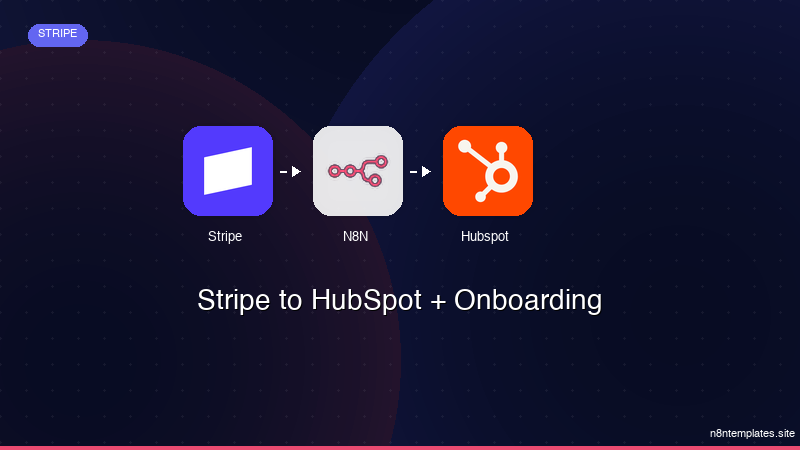
Nao comece do zero. O Stripe to HubSpot + Onboarding e um workflow n8n pronto para instalar que faz exatamente isso — em minutos, nao horas.
Instalar por $49 →

