
Automate Accounting Workflows with n8n
If you're still manually exporting invoices, reconciling spreadsheets by hand, or copying transaction data between your accounting tool and CRM, you're burning hours that automation can recover. n8n i
If you're still manually exporting invoices, reconciling spreadsheets by hand, or copying transaction data between your accounting tool and CRM, you're burning hours that automation can recover. n8n is purpose-built for exactly this kind of repetitive, data-heavy work — and accounting workflows are one of its strongest use cases.
What Accounting Workflows Are Worth Automating
Not every task deserves automation, but these ones absolutely do:
- Invoice creation and delivery — trigger from a CRM deal close, generate a PDF, send via email, log in your accounting software
- Payment reconciliation — match Stripe or PayPal events against your ledger entries automatically
- Expense categorization — parse receipts from email attachments, classify with AI, push to QuickBooks or Xero
- Overdue invoice follow-ups — check unpaid status daily, send reminders without touching your inbox
- Monthly close reports — pull data from multiple sources, aggregate, email a summary to your team
Each of these is a multi-step process that touches 3–5 different tools. That's exactly where n8n earns its keep.
How n8n Connects Your Accounting Stack
n8n has native integrations with the tools accountants and finance teams already use. You're not writing API wrappers from scratch — you're connecting nodes:
- QuickBooks and Xero — create invoices, sync customers, pull P&L data
- Stripe — listen to payment events, handle refunds, track failed charges
- Google Sheets — still the most common place finance data lives; read and write it programmatically
- Airtable — structured expense tracking with automatic categorization
- Gmail and Outlook — parse incoming invoices, trigger workflows from payment confirmations
- Slack or WhatsApp — send alerts when a large payment lands or a critical invoice goes overdue
A practical example: a Stripe payment_intent.succeeded webhook fires, n8n creates the invoice in QuickBooks, attaches the receipt PDF, sends it to the customer via Gmail, and logs the transaction in a Google Sheet — all in under two seconds, with zero human involvement.
Building Your First Accounting Automation in n8n
The fastest path to a working workflow isn't starting from a blank canvas. That said, here's what the build process looks like if you're doing it yourself:
- Identify the trigger — a webhook, a schedule (cron), or a form submission
- Map the data flow — what fields need to move between systems and in what format
- Handle errors explicitly — accounting data requires idempotency; duplicate invoices are a real problem
- Add logging — write every run result to a sheet or database so you have an audit trail
- Test with real data before enabling in production
The error handling step is where most people underinvest. In accounting, a silently failed automation is worse than no automation — you won't know a payment wasn't logged until month-end reconciliation. Build retry logic and failure notifications from the start.
Skipping the Build Time Entirely
Building a robust accounting automation from scratch takes time — not because n8n is hard, but because edge cases in financial data multiply fast. What happens when a customer has two open invoices? What if the Stripe charge is in a different currency? What if QuickBooks returns a duplicate error?
If you'd rather deploy in minutes instead of days, ready-made n8n templates cover the most common accounting automation scenarios with error handling already built in. You import the workflow JSON, connect your credentials, and you're running.
The templates are built for real production use — not toy demos. They include proper error branches, logging nodes, and documentation on what each part does and why.
What You'll Actually Save
The ROI on accounting automation is straightforward to calculate. If you spend 3 hours a week on manual reconciliation and invoice follow-ups, that's 150+ hours a year. Even a single well-built n8n workflow paying that back over 12 months is worth the setup time.
More importantly: automated workflows don't make data entry errors. They don't forget to follow up on an overdue invoice. They don't send the wrong amount because they copied from the wrong row. The reliability gain often matters more than the time savings.
Start with one workflow — the one you do most often or the one you hate most. Get it running, watch it work for a few weeks, then expand. Accounting automation compounds: each connected system makes the next integration faster to build and more valuable to run.
Ja construimos isso pra voce
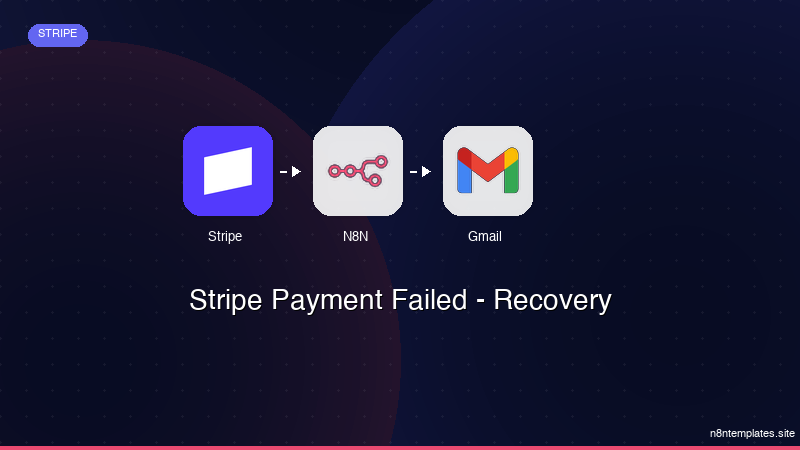
Nao comece do zero. O Stripe Payment Failed - Recovery e um workflow n8n pronto para instalar que faz exatamente isso — em minutos, nao horas.
Instalar por $49 →

