
5 n8n Workflows That Save 10 Hours Per Week
Most teams don't have an automation problem — they have a prioritization problem. The repetitive tasks eating 10+ hours a week are obvious. The hard part is building the workflows fast enough to matte
Most teams don't have an automation problem — they have a prioritization problem. The repetitive tasks eating 10+ hours a week are obvious. The hard part is building the workflows fast enough to matter. These five n8n workflows are the ones that consistently deliver the biggest time savings, regardless of industry.
1. Automated Lead Qualification and CRM Entry
Every sales team has the same problem: leads come in from five different sources, someone manually copies them into the CRM, and by the time they're assigned, half the context is lost. An n8n workflow fixes this in a single pass.
- Trigger on new form submissions (Typeform, Gravity Forms, or any webhook)
- Enrich the lead automatically via Clearbit or Hunter.io
- Score based on company size, domain, and source
- Create the contact in HubSpot or Pipedrive with all fields populated
- Notify the right sales rep via Slack with a direct link to the record
What used to take 20 minutes per lead — when someone remembered to do it — now happens in under 10 seconds. For teams handling 30+ leads a week, that's 10 hours back immediately.
2. Invoice and Payment Follow-Up Sequence
Chasing invoices is the worst use of anyone's time. It's uncomfortable, repetitive, and completely automatable. A well-built n8n workflow handles the entire follow-up sequence without a human touching it.
- Polls your accounting tool (Stripe, QuickBooks, or Xero) daily for overdue invoices
- Sends a first reminder at day 3, a second at day 7, a final notice at day 14
- Personalizes each email with invoice number, amount, and a direct payment link
- Updates the CRM record after each touchpoint
- Flags accounts that hit day 14 unpaid for manual escalation in Slack
This workflow doesn't just save time — it removes the emotional overhead of chasing money. The sequence runs, the money comes in (or escalates automatically), and your team focuses on work that actually requires judgment.
3. Content Publishing and Social Distribution
Publishing a blog post manually means logging into WordPress, adding the post, switching to Buffer, scheduling four tweets, writing a LinkedIn version, updating the newsletter list, and hoping you didn't forget anything. That's 45 minutes of copy-paste for every piece of content.
- Trigger when a Google Doc is moved to a "Ready to Publish" folder
- Parse the document structure and extract title, body, and metadata
- Publish to WordPress via API with correct categories and SEO fields
- Generate social variants using Claude or OpenAI (tweet thread, LinkedIn post)
- Schedule posts in Buffer across all channels
- Add the URL to a Notion content tracker with publish date and performance columns
The workflow turns a 45-minute process into a two-minute review before moving the doc. For teams publishing three or more pieces per week, that's the single biggest time unlock on this list.
4. Customer Support Triage and Auto-Response
Support inboxes follow a predictable pattern: 60-70% of tickets are the same five questions. Answering them manually isn't support work — it's data entry. An n8n workflow handles the common cases and routes the rest to the right person.
- Monitors the support inbox (Gmail, Outlook, or Intercom webhook)
- Classifies the ticket using an AI node (Claude or GPT-4) against a defined taxonomy
- Sends templated responses for password resets, refund status, and order tracking
- Routes billing issues to finance, technical issues to engineering
- Creates a ticket in Linear or Jira for bugs with automatic severity tagging
Teams running this workflow typically see first-response time drop from hours to under two minutes on the auto-handled cases. The human agents spend their time on actual problems, not FAQs.
5. Weekly Reporting Aggregation
Someone on your team spends two to three hours every Friday pulling numbers from Google Analytics, the CRM, Stripe, and a spreadsheet — then manually building a slide deck or email summary. This is completely unnecessary.
- Runs every Friday at 4 PM on a cron schedule
- Pulls revenue data from Stripe, traffic from GA4, pipeline from HubSpot
- Calculates week-over-week changes automatically
- Generates a formatted summary using an AI node
- Posts the report to a Slack channel and emails the leadership team
The report is consistent, on time, and doesn't depend on anyone remembering to do it. More importantly, it frees up Friday afternoons for actual strategic thinking instead of number-gathering.
These five workflows cover the highest-ROI automation opportunities across sales, finance, marketing, support, and operations. None of them require a developer to maintain once they're running. If you want to skip the build time entirely, browse ready-made n8n templates — each one is pre-built, documented, and ready to import into your n8n instance in under five minutes.
Ja construimos isso pra voce
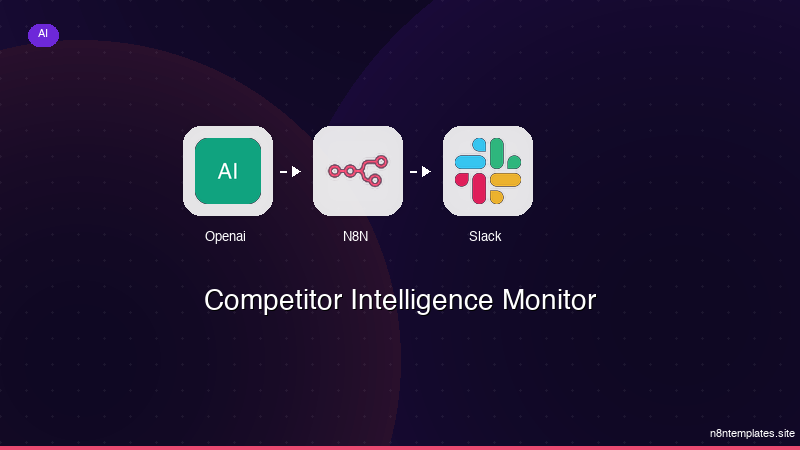
Nao comece do zero. O Competitor Intelligence Monitor e um workflow n8n pronto para instalar que faz exatamente isso — em minutos, nao horas.
Instalar por $59 →

