
5 n8n Templates for E-commerce Automation
E-commerce teams waste hours on tasks that should run themselves: order confirmations, inventory alerts, abandoned cart follow-ups, review requests. If you're running a store on Shopify, WooCommerce,
E-commerce teams waste hours on tasks that should run themselves: order confirmations, inventory alerts, abandoned cart follow-ups, review requests. If you're running a store on Shopify, WooCommerce, or any platform with a decent API, n8n can automate most of this without writing a line of custom backend code. Here are five workflow templates that cover the highest-impact automation points in a typical e-commerce operation.
1. Abandoned Cart Recovery
Cart abandonment averages around 70% across e-commerce. Most teams recover some of that revenue through email sequences, but building the trigger logic is where things get messy. This workflow listens for cart events, waits a configurable window (default: 1 hour), checks if the order was completed, and if not, fires a recovery email through your existing ESP — no third-party cart recovery tool required.
- Trigger: Shopify or WooCommerce webhook on cart creation
- Wait node with conditional check for order completion
- Email via SendGrid, Mailchimp, or SMTP
- Optional: Slack notification to sales team for high-value carts
2. Order Confirmation and Fulfillment Sync
The gap between payment confirmation and the customer knowing their order is moving is where trust breaks. This template fires the moment a new order lands, sends a branded confirmation email, logs the order to a Google Sheet or Airtable, and pings your fulfillment system or 3PL API. If you're using a warehouse that doesn't have native Shopify integration, this is the glue layer you need.
- Trigger: new order webhook from your storefront
- Parallel branches: customer email + internal log + fulfillment API
- Error handling: retries on fulfillment API failure, Slack alert on repeated errors
- Works with ShipStation, EasyPost, or any REST-based 3PL
3. Low Stock Inventory Alerts
Running out of stock on a top SKU without warning is one of those problems that feels preventable in hindsight. This workflow polls your inventory API on a schedule, compares current quantities against configurable thresholds per product, and routes alerts to the right place — Slack channel for the ops team, email to the buyer, or a task created in your project management tool.
- Schedule trigger: runs every 4 hours or on demand
- Reads inventory from Shopify, WooCommerce, or direct database query
- Per-SKU threshold configuration via Google Sheet (no code changes needed)
- Deduplication logic: won't alert twice for the same stock drop
4. Post-Purchase Review Request Sequence
Review volume directly affects conversion rates, but most teams either don't ask or ask at the wrong time. This template triggers after a delivery confirmation event, waits the right number of days for the customer to actually use the product, then sends a review request with a direct link to your review platform. It checks whether the customer already left a review before sending a follow-up, so you're not spamming people who already responded.
- Trigger: fulfillment status update (delivered)
- Configurable wait period per product category
- Integrates with Trustpilot, Google Reviews, or Yotpo via API
- Conditional: skips if review already exists for that order
5. Customer Segmentation and CRM Sync
Every order contains data that should be enriching your CRM automatically — lifetime value, product categories purchased, frequency. This template processes new orders and updates customer records in HubSpot, Pipedrive, or any CRM with an API. It calculates basic RFM signals (recency, frequency, monetary value) and tags customers accordingly, so your marketing team has segments that actually reflect buying behavior rather than static lists.
- Trigger: order completed event
- Looks up existing customer record, creates if not found
- Updates LTV, last purchase date, and product category tags
- Applies RFM-based segment labels automatically
These five workflows cover the automation surface area that moves the needle for most e-commerce operations — recovery, fulfillment, inventory, reviews, and segmentation. Each one is built to be modified: swap the email provider, change the CRM, adjust thresholds without touching the core logic. If you want to skip the build time and start with working flows, the ready-made n8n templates on this store are production-ready and documented. Import, configure your credentials, and you're live in under an hour.
Ja construimos isso pra voce
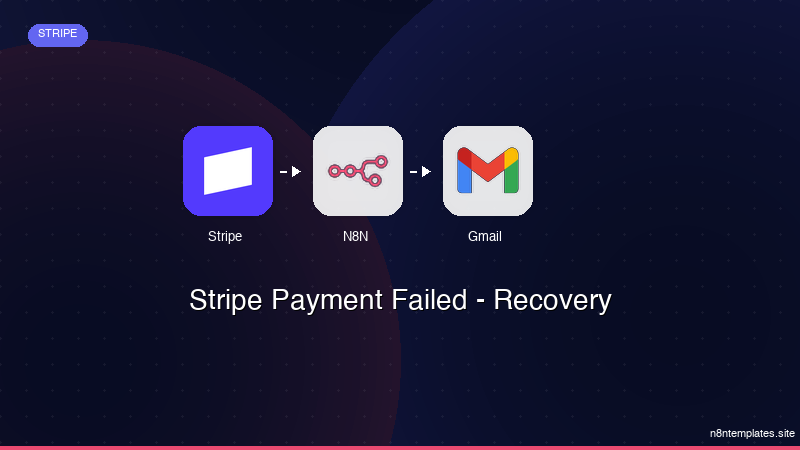
Nao comece do zero. O Stripe Payment Failed - Recovery e um workflow n8n pronto para instalar que faz exatamente isso — em minutos, nao horas.
Instalar por $49 →

