
5 Best n8n Templates for Sales Teams
If your sales team is still manually copying leads from forms into your CRM, sending follow-up emails one by one, or losing deals because nobody remembered to ping a prospect — you're leaving money on
If your sales team is still manually copying leads from forms into your CRM, sending follow-up emails one by one, or losing deals because nobody remembered to ping a prospect — you're leaving money on the table. n8n fixes this. It's open-source, self-hostable, and powerful enough to wire together every tool in your stack without writing a full application. The problem is building workflows from scratch takes time you don't have. That's where ready-made n8n templates come in — pre-built, tested workflows you drop into your instance and run in minutes.
Here are five n8n templates that actually move the needle for sales teams.
1. Lead Capture to CRM — Zero Manual Entry
Every minute a sales rep spends copying a lead from a web form into Pipedrive or HubSpot is a minute they're not selling. This template connects your intake form (Typeform, Tally, or native n8n form) directly to your CRM, creating or updating a contact the moment the form submits.
- Deduplicates contacts before inserting — no duplicate records
- Maps custom fields automatically from form to CRM
- Triggers a Slack notification to the assigned rep within seconds
- Logs every lead to a Google Sheet for pipeline reporting
What makes this template worth using over building it yourself: the deduplication logic. Most teams get this wrong the first time and spend weeks cleaning up a corrupted CRM. The template handles it correctly out of the box.
2. Automated Follow-Up Sequence After No Response
The fortune is in the follow-up — and most deals die because nobody followed up. This template watches your CRM for deals that haven't been touched in N days and fires a sequence of follow-up emails through Gmail or Outlook, spaced at intervals you define.
- Configurable wait windows (3 days, 7 days, 14 days)
- Pulls contact name and company from CRM for personalized subject lines
- Stops the sequence automatically when a reply is detected or deal stage changes
- Logs all sent emails back to the CRM activity timeline
The stopping condition is the critical piece. Without it, you're spamming people who already replied — which kills deals instead of saving them. This template gets that right with a reply-detection check before each send.
3. Inbound Lead Scoring and Routing
Not all leads are equal. Sending a $5K/month enterprise prospect to the same rep queue as a free trial signup is inefficient. This template scores inbound leads based on company size, job title, and behavior data (pages visited, time on site via GA4), then routes them to the right rep or pipeline stage automatically.
- Enriches lead data via Clearbit or Apollo before scoring
- Applies a weighted scoring model you configure once in the workflow
- Routes high-score leads to a priority Slack channel with full context
- Moves low-score leads to a nurture sequence instead of live sales
The enrichment step alone justifies using this template. Getting company size and industry data without paying for a separate enrichment tool — just from the email domain — saves meaningful cost at scale.
4. Deal Won → Onboarding Kickoff Automation
When a deal closes, five things need to happen immediately: a welcome email goes out, the customer gets added to your project management tool, a kickoff meeting gets scheduled, the CS team gets notified, and the CRM stage updates. Most teams do all five manually, introducing delays and inconsistencies that start the customer relationship badly.
- Triggers on deal stage change to "Won" in your CRM
- Creates a new project in Notion, Asana, or ClickUp with templated tasks
- Sends a branded welcome email with onboarding instructions
- Posts a handoff summary to your CS team Slack channel
- Books a kickoff slot using Calendly API
This one has a direct impact on churn. Customers who get a fast, organized handoff after signing stick around longer. The automation makes a fast handoff the default, not the exception.
5. Weekly Sales Pipeline Report to Slack
Sales managers need pipeline visibility without having to log into the CRM every morning. This template pulls deal data from your CRM every Monday at 08:00, calculates key metrics, and posts a formatted summary to a Slack channel — no dashboards, no manual exports.
- Shows total pipeline value by stage
- Flags deals with no activity in the last 7 days
- Compares current week to prior week for trend visibility
- Highlights deals expected to close this month with their probability
The stale deal flag is what managers actually use. It surfaces exactly which deals need attention before the weekly pipeline call, so the meeting becomes action-oriented instead of a status update.
How to Use These Templates
Each template ships as a JSON file you import directly into your n8n instance via Settings → Import Workflow. You'll need to connect your credentials (CRM, Slack, Gmail — whatever the workflow uses), adjust a few configuration fields at the top of the workflow, and activate it. Most teams are live within 30 minutes of importing.
If you're running a sales operation on n8n and building these workflows manually, you're spending engineering time on solved problems. The highest-leverage thing you can do is start from a working template and customize from there — not from a blank canvas. These five cover the core automation layer every sales team needs: capture, follow-up, routing, handoff, and reporting. Get them wired up and let the system do the repetitive work.
Ja construimos isso pra voce
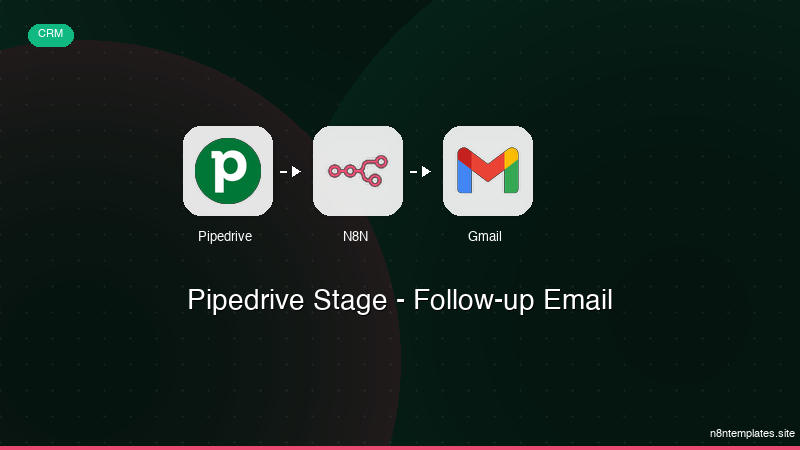
Nao comece do zero. O Pipedrive Stage - Follow-up Email e um workflow n8n pronto para instalar que faz exatamente isso — em minutos, nao horas.
Instalar por $39 →

